
Hybrid Obeya: when half the team is at home
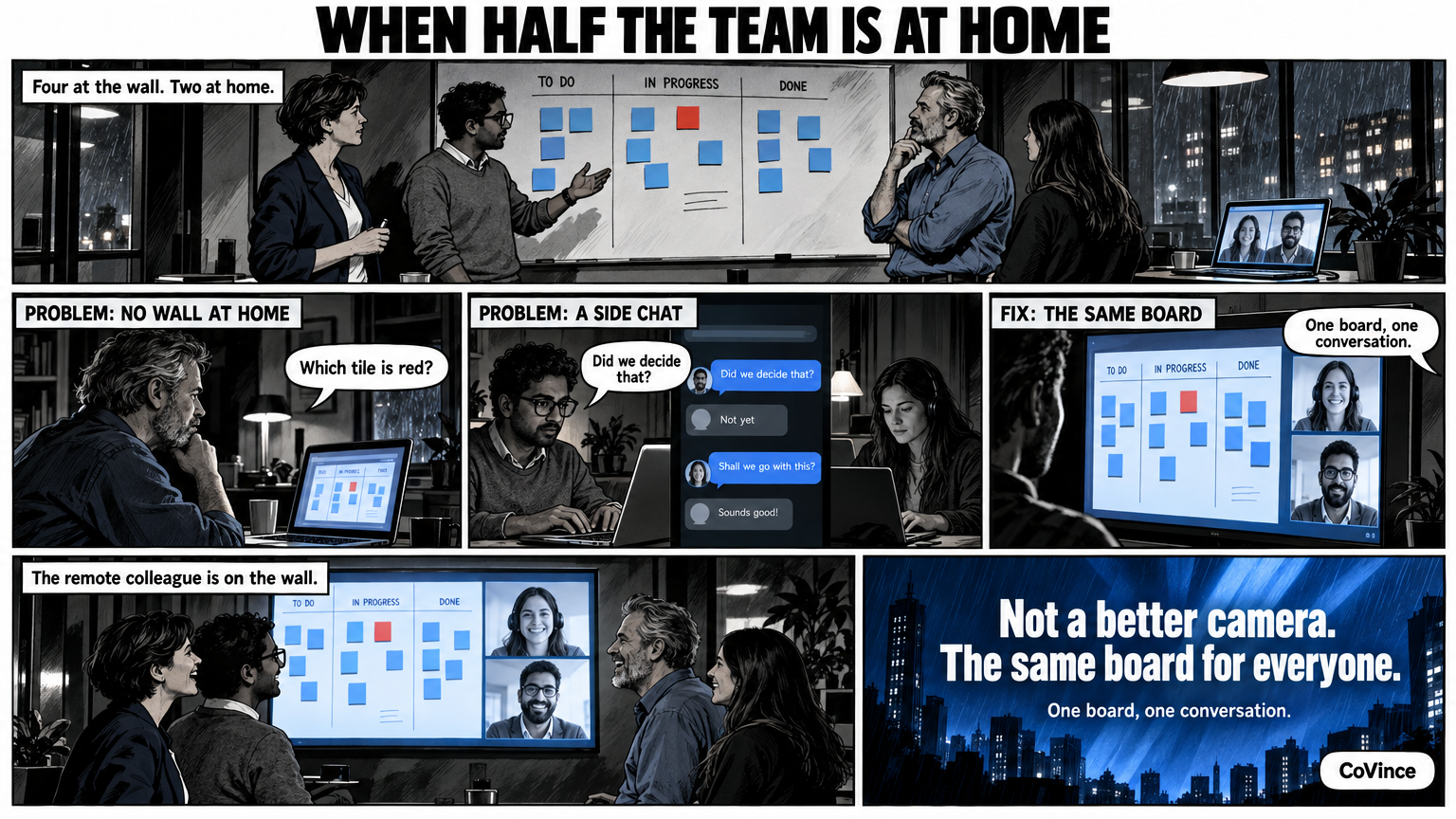
A hybrid Obeya works when everyone sees the same live wall, including those who are not in the room. In CoVince video calling is part of the board itself: the remote colleague is on the wall, the board stays in the middle, and everyone sees at once what changes.
The wall and the people who are not standing at it
Suppose: a stand-up of fifteen minutes, four people in the room, two at home. In the room everyone stands in front of the wall. The two at home look at a laptop, at a shared screen with a delay, or at nothing. They hear what is said, but they do not point, they do not walk along and they do not see which tile is red.
That is the problem of the hybrid Obeya. The method is about looking together at the same wall. If part of the team does not have that wall, exactly that part of the value disappears. Two conversations arise: one in front of the wall and one in the chat.
The principle: one board, one conversation
The solution is not a better camera, but the same board for everyone. In CoVince video calling sits next to the board and not in a separate programme. You open the conversation from the journey and show your canvas or your Control Room in the call. Everyone sees at once what changes.
What video calling in CoVince can do
- Open a conversation via a link. Public, only for journey members or for whoever you invite, with a waiting room. Guests join without an account.
- The board in the conversation. You show the canvas or the Control Room in the call, so home and office look at the same thing.
- Raise hand and chat. Everyone gets a turn, including those taking part remotely.
- Record. On request with a transcript and a summary, handy for those who could not be there.
Four agreements that make a hybrid stand-up work
- The wall is the starting point, not the agenda in somebody’s head. Walk along the screens, as you would in the room. Whoever is remote follows screen by screen.
- Actions go on the board, not in the chat. An action with an owner and a date is on the board and the timeline. Everyone looks there, at every location.
- Start with what is red. The counters for behind, at risk and overdue actions show what the conversation should be about. Tap them and you see only those tiles.
- Whoever is remote speaks first. A simple rule that stops the people in the room from taking over the conversation.
What the remote people see
Whoever is at home sees the board that also hangs in the room, with the same numbers of today. Tapping a chart to see the action also works remotely. In addition, the conversation sits in the same journey: the actions, decisions and documents that come up in the stand-up you then work out on a board, in a document or in a spreadsheet. Nobody has to ask ‘can you send that over?’.
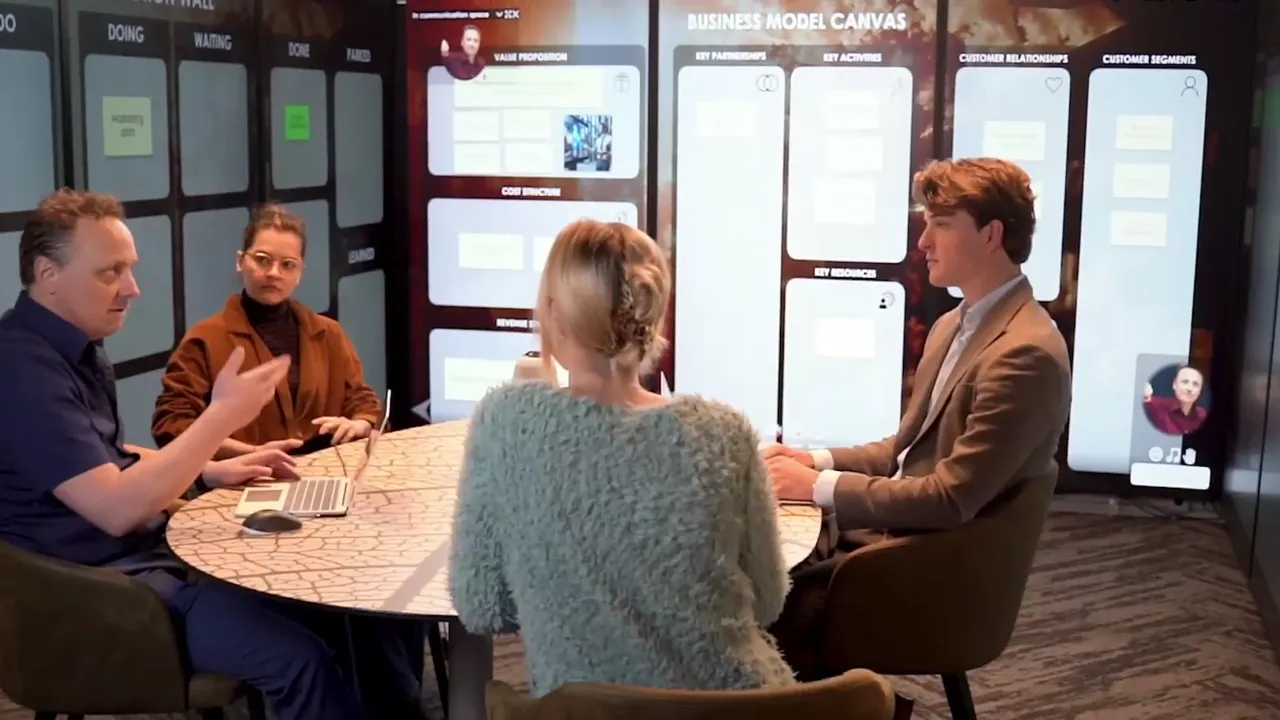
Do you want to make the room itself bigger too, with nine screens in a U and remote colleagues on the right of the wall? That is the immersive Obeya room. For the basics of a digital wall read Digital Obeya, and all the background is in the complete guide.
What you do differently in the room
Working hybrid asks something of the people in the room, not only of the people at home. Do not walk along the wall with your back to the camera, but say which screen you are discussing. Do not only point, but name the tile: ‘the lead time on the Progress screen’. That sounds cumbersome, until you notice that whoever is remote therefore knows where you are.
If your room works with several screens, each screen has a name. That helps here too: ‘we are going to Actions’ is enough to get everyone to the same part of the wall, in the room and at home.
What often goes wrong
- The call and the board are two things. If the conversation is in one programme and the board in another, half the team looks at the wrong thing.
- The remote people are spectators. Give them a role in the stand-up: a topic of their own, an action of their own.
- Decisions go through the chat. Record them on the board, so they can be found by those who were not there.
A hybrid Obeya does not have to be expensive. First the board and the conversation in one place, only then the screens.
Frequently asked questions
What is a hybrid Obeya?
An Obeya where part of the team is in the room and part works remotely, with the same live wall for everyone. The board is central and the remote people take part via video calling.
Do remote people need an account?
Guests join without an account via a link. You decide whether a conversation is public, only for journey members or for whoever you invite, and you can use a waiting room.
Can I show the board in the video call?
Yes. You show your canvas or your Control Room in the conversation. Everyone sees at once what changes.
Can I record a stand-up?
Yes. You can record the conversation and, if you want, have a transcript and a summary made.
Does this also work without big screens in the room?
Yes. A laptop or one big screen is enough. Larger set-ups with three or nine screens are a choice for teams that want the walls around them physically too.