
Immersive Obeya room: nine screens, one live wall
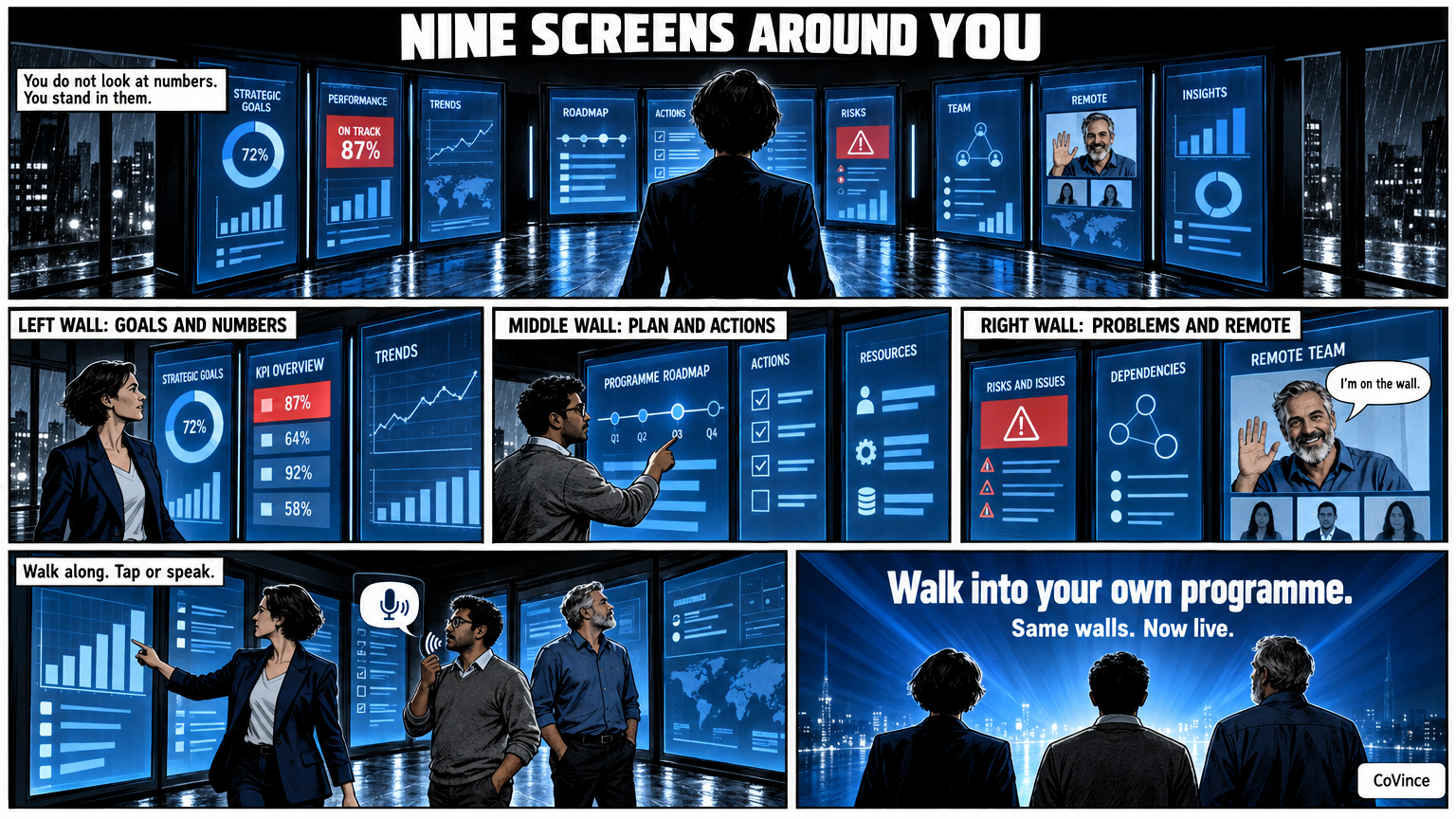
An immersive Obeya room puts the walls of your Obeya physically around you. CoVince’s Syner Suite consists of nine standing 86-inch screens in a U, three per wall, with the Control Room, the canvas and the conversation on them. You operate it with a tap on the wall or with your voice.
Walking into your own programme
In an ordinary meeting room you look at a screen. In an immersive room you stand among your numbers. On the left the goals and KPIs, in the middle the plan and the actions, on the right the problems and the remote colleagues. The team walks along the walls, as with a paper Obeya, but the wall is live.
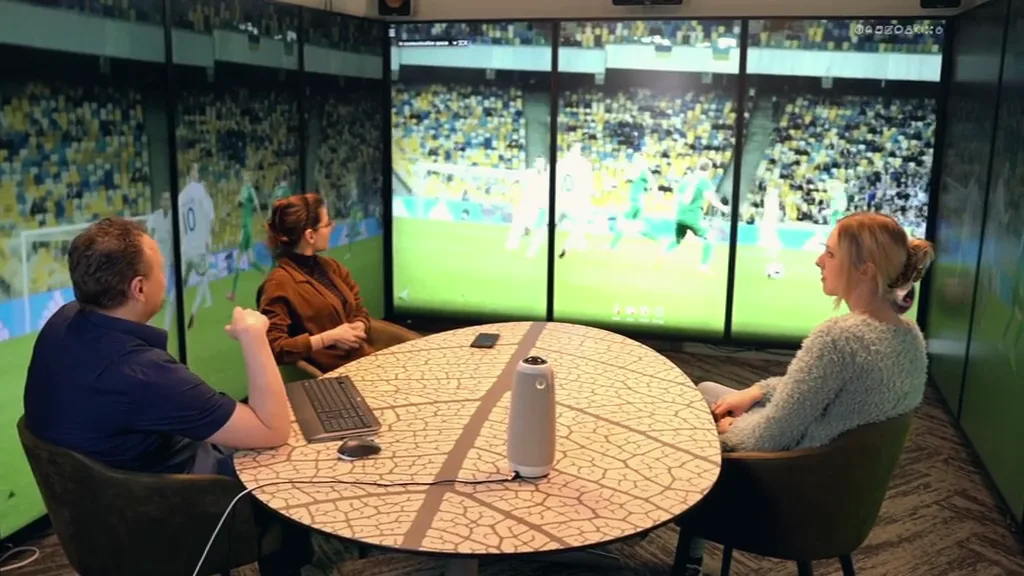
How the Syner Suite is built
It is a U of nine standing 86-inch screens, three per wall. Each wall gets a theme:
- Wall 1: goals and numbers. The KPIs, the trends and the meters.
- Wall 2: plan and actions. The phases, the milestones and who picks up what.
- Wall 3: problems and remote colleagues. The risks, the decisions and the video of those who are not there.
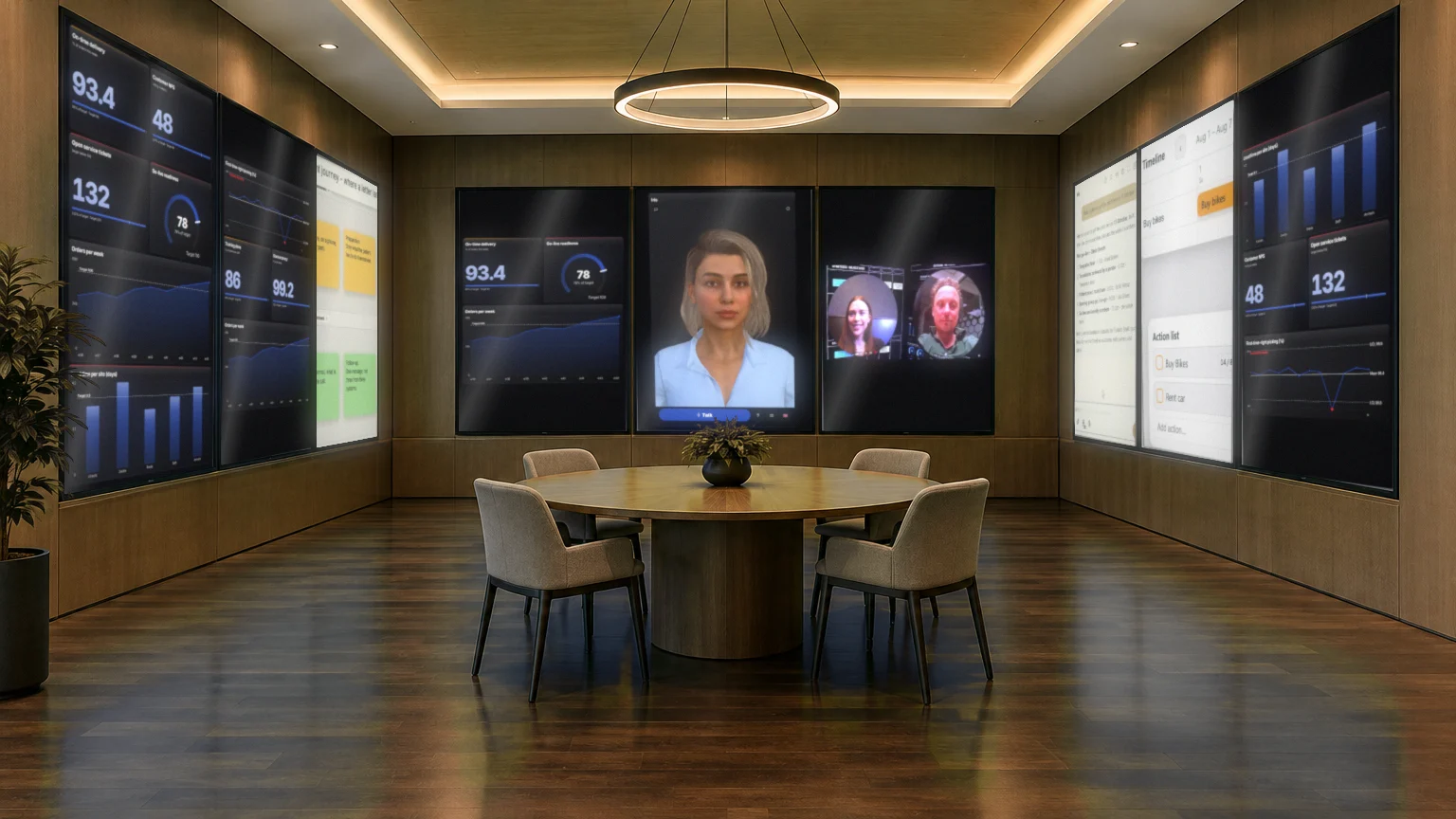
What runs on the screens
The screens show the Control Room, which spreads itself over one, three or nine screens. Each screen gets a name and shows what needs attention. On three or nine screens Play opens on the overview of the whole wall; you zoom in on a screen yourself. In addition there are:
- a CrewMate that answers questions about the numbers, out loud too;
- the canvas for problem analyses, an A3 or a conversation with sticky notes;
- actions and the timeline, with owner and date;
- video calling, with the remote colleague on the right of the wall and the board in the middle.
Who does this suit?
An immersive room suits programmes and projects with several teams and a weekly Obeya session. For a fifteen-minute stand-up with a small team, three standing screens on one wall are enough. For large groups, steering groups and presentations you can look at three continuous LED walls; read about that in LED wall or separate screens?.
| Set-up | Screens | Suits |
|---|---|---|
| Team huddle | 3 standing screens | Small teams, one department, a first Obeya |
| Full Obeya | 9 standing screens in a U | Programmes and projects with several teams |
| Immersive | 3 LED walls | Large groups, steering groups, presentations and demos |
First the journey, then the room
You do not have to build a room first to know whether it works. In the Syner Suite journey you see the room, the boards and how teams work with them. You can also book a demo or email learn@covince.com. Many teams start with one screen and expand when the rhythm is in place. You can read more about setting up the room itself in War room setup, and about the remote people in Hybrid Obeya. The full background is in the complete guide.
A session in the Syner Suite
A weekly Obeya session in an immersive room runs at its core the same as at a paper wall, but with live walls. The team starts at the goals and numbers and sees from the counters what is behind or at risk. Then it walks to the wall with plan and actions, and ends at the problems and risks. On the third wall is the remote colleague, so that they do not drop out of view.
Tap a chart and you see the action attached to it. If you want to know something that is not on the screen, you ask the CrewMate, out loud too. A problem that takes more time you work out right away on the canvas, and the actions that come out of it go onto the timeline.
What you do not need for it
- No separate presentation software: you present the board itself, and you can draw on it during the conversation.
- No second programme for video calling: that is part of the board.
- No fixed room to begin with: the journey and the Control Room also work on a laptop.
Frequently asked questions
What is an immersive Obeya room?
A room where the walls of your Obeya physically surround you, on large screens. CoVince’s Syner Suite has nine standing 86-inch screens in a U, with the Control Room, the canvas and the conversation on them.
How do you operate the screens?
With a tap on the wall or with your voice. You can also ask the CrewMate questions about the numbers out loud.
Is an immersive room necessary for an Obeya?
No. A digital Obeya works on a laptop or on one big screen. The Syner Suite is there for those who also want the walls around them physically.
Can remote colleagues take part?
Yes. The remote colleague is on the wall, usually on the right, and the board stays in the middle. Guests join without an account.
Can I look at the room first?
In the Syner Suite journey you see the room, the boards and how teams work with them. You can also book a demo or email learn@covince.com.