
Digital Obeya: live walls instead of printouts
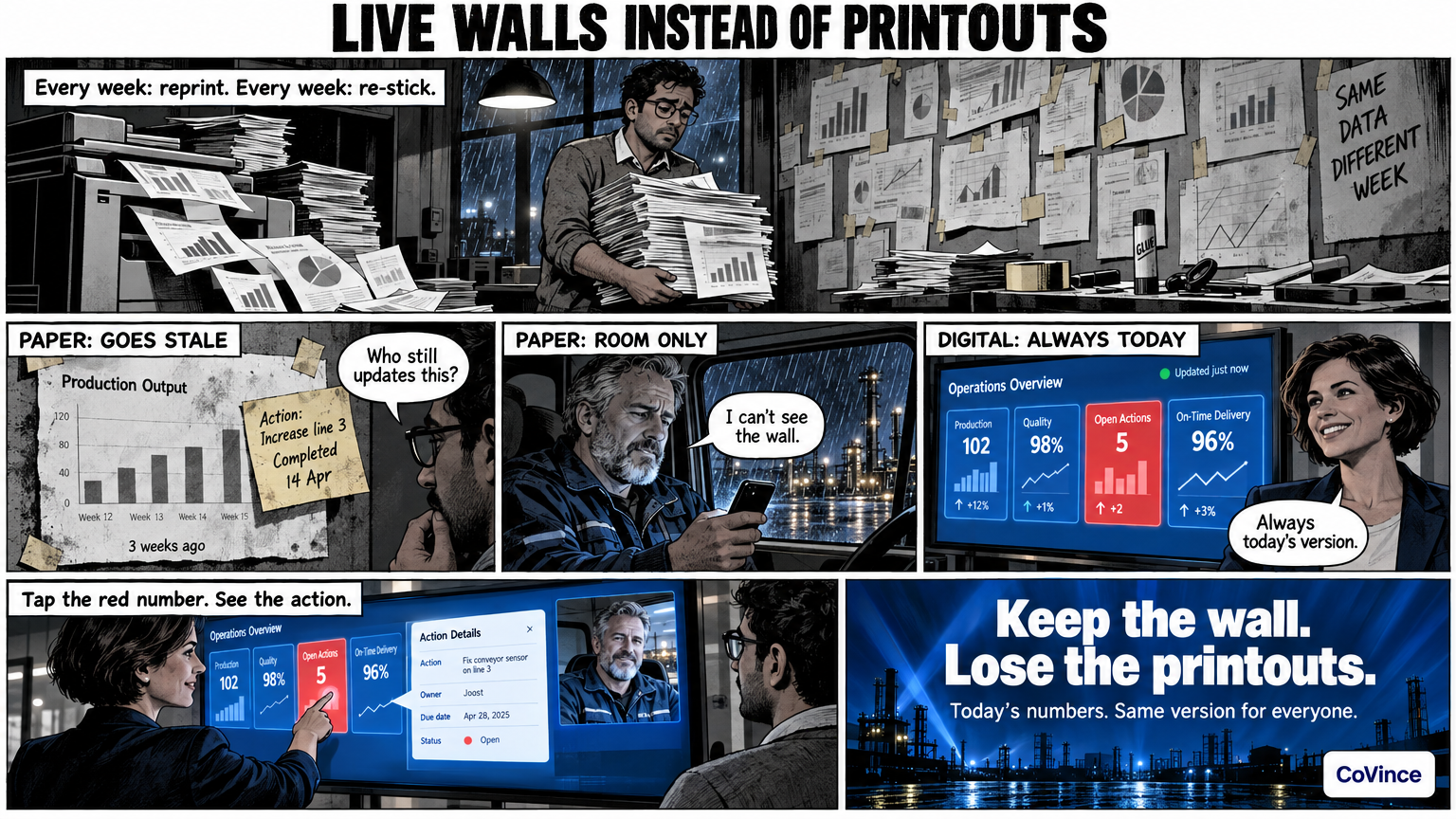
A digital Obeya is the big room with the same walls, but on screens with live numbers instead of on paper. The wall is always today’s, everyone sees the same version and a deviation leads straight to the action that goes with it. That way you keep the strength of the physical wall and lose the printouts.
What goes wrong with paper
Anyone who has built a paper Obeya knows the pattern. The first weeks the wall is full and current. After that someone has to reprint the charts every week, update the sticky notes and find the marker again. At some point nobody does it any more, and a number from three weeks ago hangs next to an action that was finished long ago.
There is something else. A paper wall only works for the people standing in the room. A colleague who works from home, sits at another location or is on the night shift does not see the wall. Then it is no longer a shared truth, but a photo someone sends around.
What a digital Obeya does
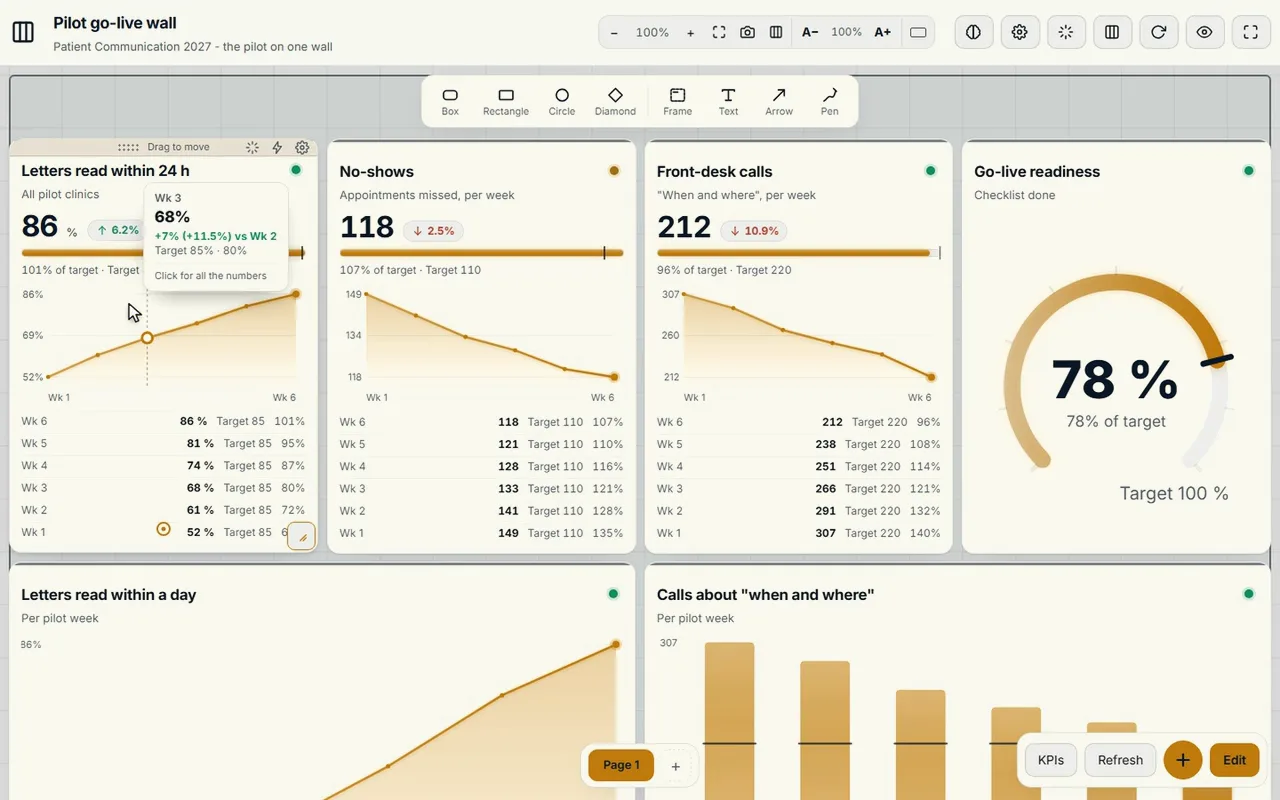
A digital Obeya puts the same layout on screens: goals and KPIs, plan and milestones, problems and actions, decisions and risks. In CoVince that is the Control Room, a board of tiles that spreads itself over one, three or nine screens. Each screen gets a name, for example Goals, Progress, Actions or Risks.
- Live numbers. The tiles take their numbers from CoVince, from a CSV or from a connected source. If you have a number that comes from nowhere, you type it in.
- What needs attention is visible. At the top it shows how many numbers are behind, at risk or on track, and how many actions are overdue. Tap such a counter and you see only those tiles.
- Nothing gets lost. Actions, decisions and conversations are kept in the journey, with who did what and when.
Tap a chart, see the action
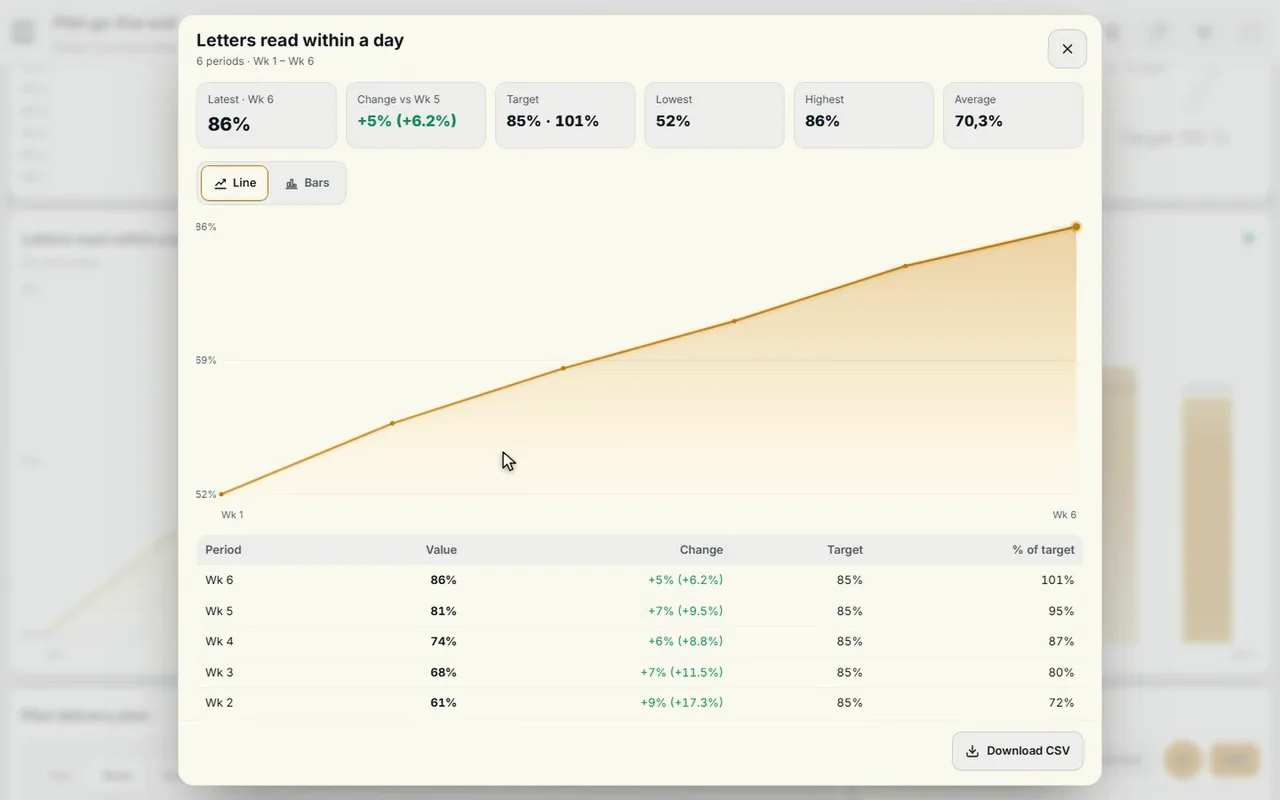
The biggest difference from a printed wall you notice in the stand-up. On paper you see a line going down and you have to search for what is already being done about it. On the digital wall you tap the chart and see the trend per week against the target, with the action attached to it: who, what and by when.
That changes the conversation. You no longer talk about who updated the number, but about what you are doing about it now. An action has an owner and a date and stays visible on the board and on the journey’s timeline until it is done.
Ask the board
A CrewMate can hang on the wall too: an AI colleague that knows the journey and the board. You ask in plain language why a number is behind or what is overdue this week, and it answers based on what is on the board. That also works out loud: switch the conversation on, talk, and the CrewMate answers with its voice. It proposes; you decide. Numbers you fill in manually, it only applies when you press Apply.
How to start small
- Pick one wall. For example Goals and KPIs. A digital Obeya does not have to be five walls in one go.
- Describe what you want to follow. With ‘Make with AI’ a short description becomes a proposal with pages, measurements and their source. Nothing is on the board before you press Build.
- Hang it up. A laptop or one big screen is enough. If you also want the walls around you physically, that can come later with three or nine screens.
- Hold the stand-up in front of it. Fifteen minutes, screen by screen, asking what is red and who picks it up.
You can read more about the set-up in the complete guide. Does part of the team work remotely? Then the hybrid Obeya is the next step.
Who maintains the wall?
Software does not solve the fact that someone has to take responsibility. Agree who owns the wall, who leads the stand-up and who checks that actions have an owner and a date. With live numbers, updating the numbers is no longer a task, and time remains for what really matters: the conversation and the actions.
Frequently asked questions
What is the difference between a digital and a paper Obeya?
A paper Obeya only works for the people standing in the room and has to be updated by hand. A digital Obeya shows live numbers, is the same for everyone at every location and keeps actions, decisions and conversations.
Do we need a special room or special screens?
No. A digital Obeya works on a laptop or on one big screen. The Control Room can also spread over three or nine screens, but that is a choice, not a requirement.
Where do the numbers on the walls come from?
From CoVince itself, from a CSV, from connected sources, or you type them in. Which sources suit you, we show in a demo.
Do we have to know lean already to start?
No. Start with one wall and one stand-up. The Obeya view shows what needs attention, and the CrewMate helps with the first board.
What happens to our old paper walls?
You can let them exist side by side during the transition. First take over the numbers that go stale fastest, such as KPI charts, and let the rest follow later.