
LED wall or separate screens for your Obeya room?
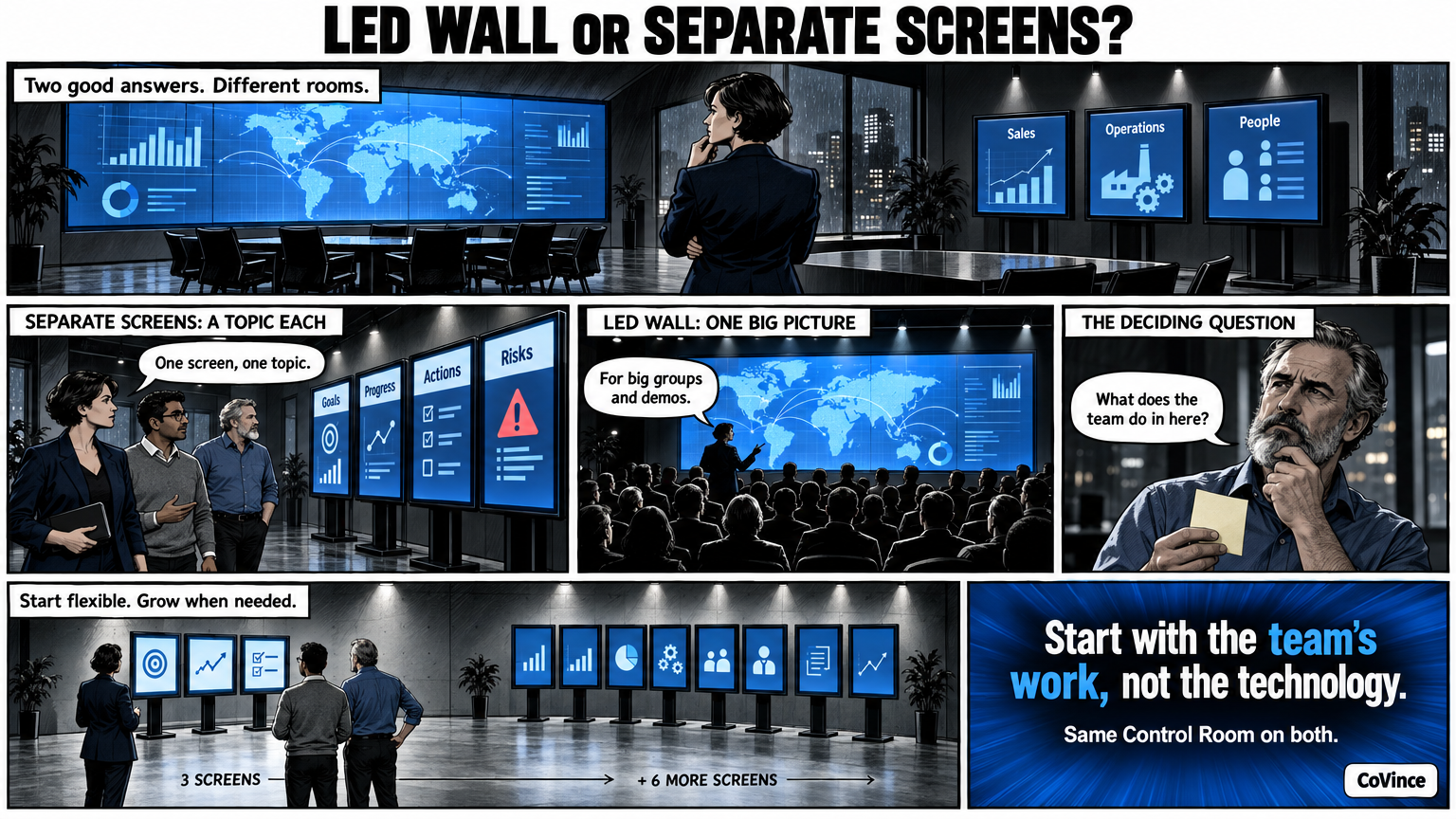
For your Obeya room or war room, choose separate standing screens if you want to start flexibly and show a different topic on each screen, and choose an LED wall if you want a large, seamless picture for big groups and presentations. Both run the same Control Room; the difference is in the room, the picture and what you want to do.
Whoever wants to set up a meeting room for an Obeya or control room sooner or later comes to the question: an LED wall or separate screens? An honest answer starts not with the technology, but with what the team does in the room. CoVince describes three set-ups; the LED wall is one of them.
The three set-ups
| 3 standing screens | 9 standing screens | 3 LED walls | |
|---|---|---|---|
| Name | Team huddle | Full Obeya | Immersive |
| Build | Three screens side by side on one wall | Three walls of three, in a U | Three continuous walls, without bezels |
| Suits | Small teams, one department, a first Obeya | Programmes and projects with several teams | Large groups, steering groups, presentations and demos |
Why separate standing screens?
With separate screens each screen has its own topic. A name per screen, such as Goals, Progress, Actions or Risks, means the team walks along the wall screen by screen. That fits the rhythm of an Obeya: the stand-up goes along the walls and everyone is at the same part.
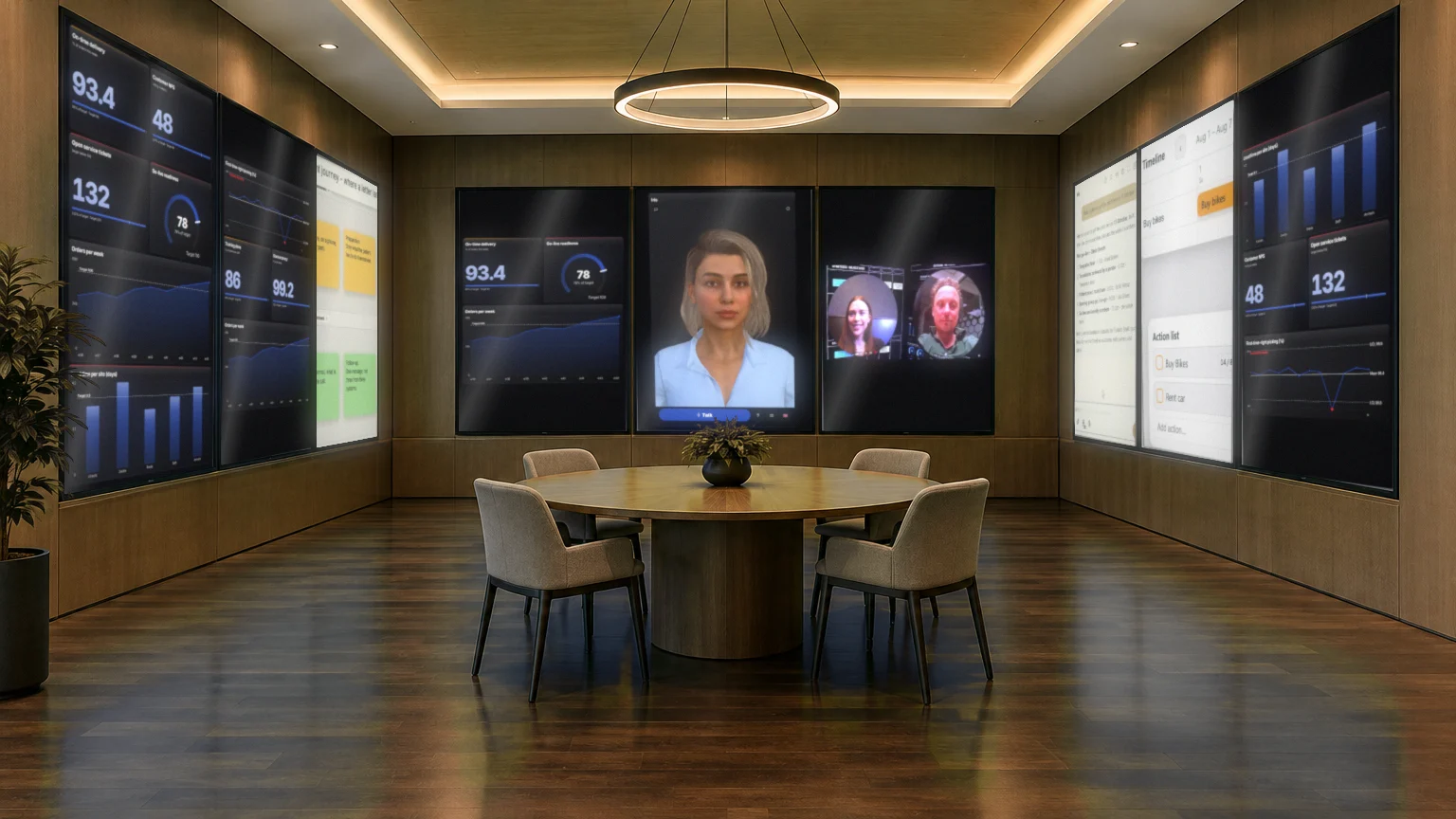
- Start flexibly. You can start with three screens and expand to nine.
- One screen per topic. The board shows per screen what needs attention.
- Also in an ordinary meeting room. Three standing screens on one wall are enough for a fifteen-minute stand-up.
Why an LED wall?
With an LED wall each wall is one seamless picture. Charts, the canvas and the CrewMate become so big that you stand in the middle of them. That is strongest when many people have to see the same picture at once: a steering group, a presentation, a demo.
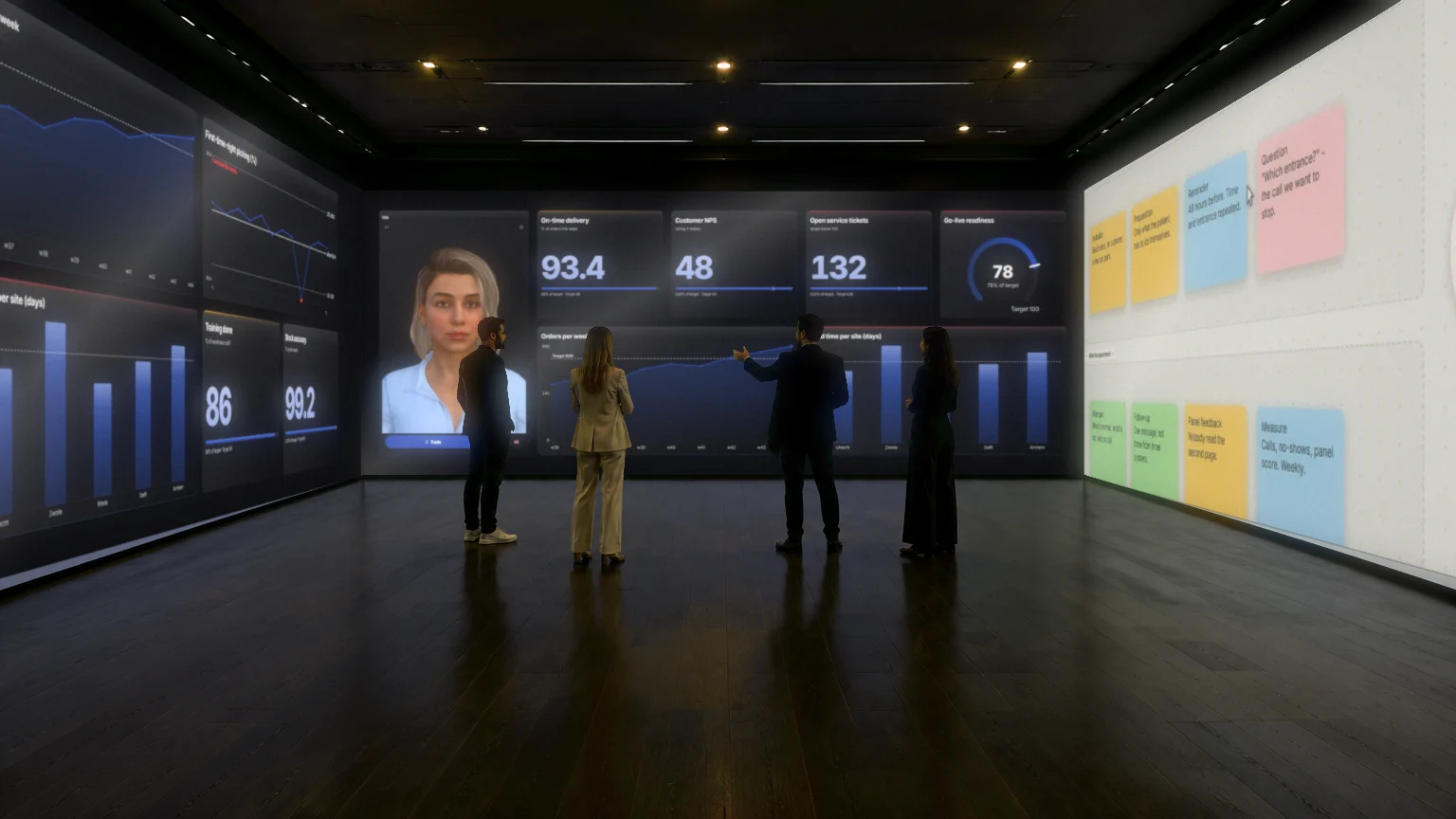
- No bezels. A big picture runs on, even when a chart falls across the middle.
- For big sessions. Presentations and moments when everyone has to see the same.
- Impact. The canvas and the CrewMate become so big that the room revolves around them.
How do you choose?
- How many people are in the room? A team of five has enough with three screens. A steering group with many people benefits from a big picture.
- How often does the group meet? Daily for fifteen minutes suits separate screens. A rare big session suits an LED wall.
- Do you want to walk or present? Walking along walls suits separate screens. Presenting to a big group suits LED.
- How much do you want to invest up front? Starting with a laptop or one screen costs the least and shows whether the rhythm works. Ask about costs and requirements per set-up in a demo.
What holds for all set-ups: the board, the actions, the CrewMate and the video calling work the same. So you can start small and replace the set-up later without redoing the work. A nice screen does not solve a stalling stand-up; the rhythm does.
Read more about the big set-up in Immersive Obeya room, about the software behind the screens in Command center without custom build, and about the method in the complete guide.
What the room itself asks for
Apart from the choice between LED and separate screens, the room decides whether it works. An Obeya wall must be readable for whoever sits furthest away, so plan the distance from the table to the wall so that tiles and numbers can be read without squinting. Leave enough room to walk along the walls: the walking itself is part of the rhythm. And make sure remote people have a place on the wall, for example on the right, so they do not disappear into a corner of the screen.
Think about operation too. The Syner Suite is operated with a tap on the wall or with your voice. Choose a set-up in which someone can touch the wall, or in which you can address the CrewMate out loud without the room disturbing it.
Starting small counts
The most common mistake is to build the room first and think of the rhythm afterwards. Rather first watch for a few weeks how the team handles a digital wall on a laptop or one big screen. That shows whether you want three, nine or LED, and which walls you need.
Frequently asked questions
What is the difference between an LED wall and separate screens?
An LED wall is one seamless picture per wall, without bezels. Separate standing screens each have a topic and a name of their own. Both run the same Control Room.
Which set-up suits a small team?
Three standing screens on one wall, for a fifteen-minute stand-up in an ordinary meeting room. A laptop or one big screen is enough to start.
When does an LED wall suit?
For large groups, steering groups, presentations and demos: moments when everyone has to see the same and the picture may be big and continuous.
Can I switch set-up later?
The board, the actions and the CrewMate work the same in every set-up, so you can start small and expand later.
What does an LED wall cost?
We do not give amounts here, because that differs per room. Ask in a demo or email learn@covince.com.