
War room setup for your project or go-live
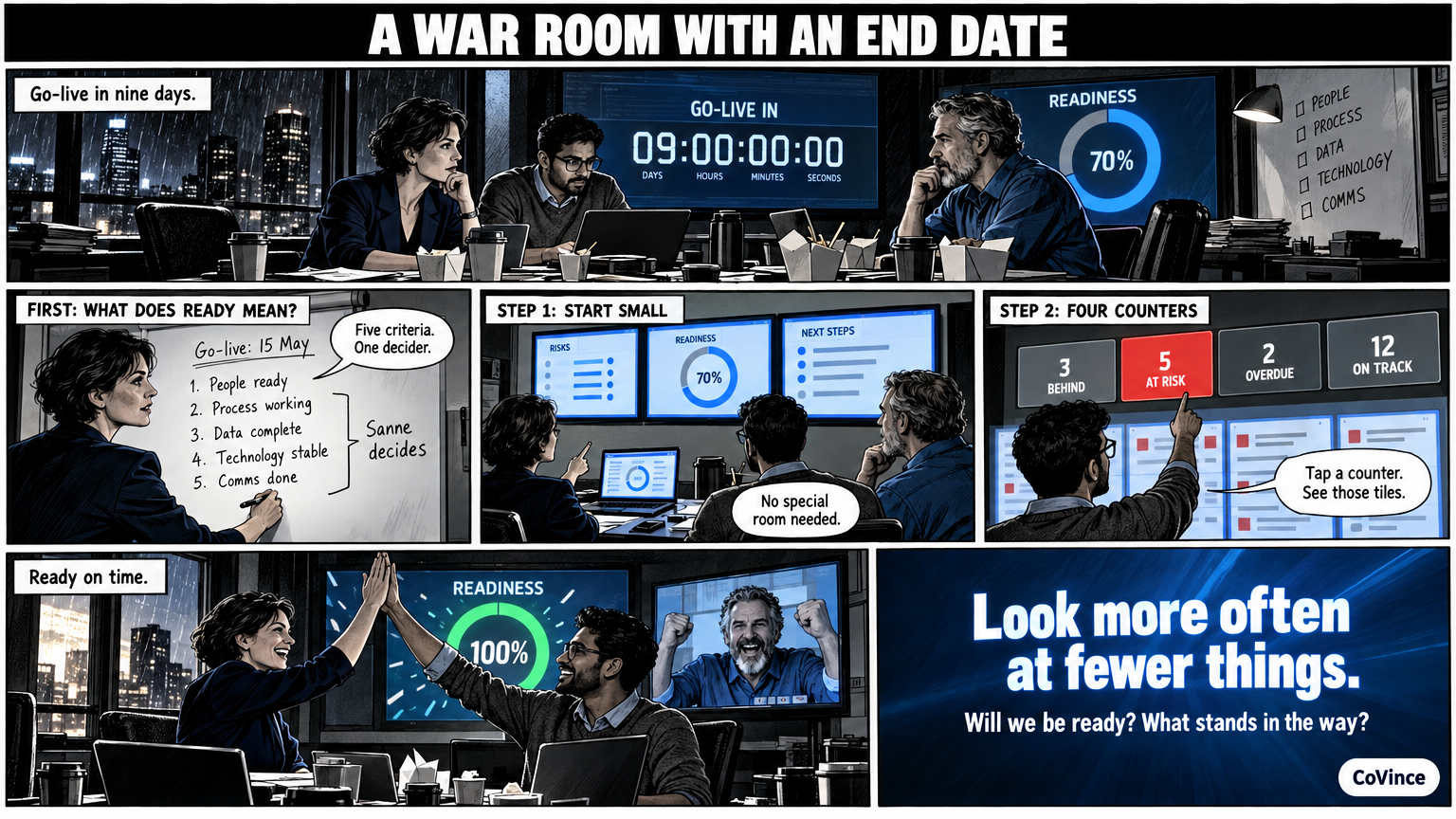
Setting up a war room means arranging three things: a room with screens the team looks at together, software that shows what needs attention, and a rhythm in which you look at it every day. The set-up below works for a project, a launch or a go-live, and differs little from an Obeya.
First: what is the war room for?
A war room has an end date. A go-live, a launch, a migration, an important delivery. That changes the set-up in two ways compared with a permanent Obeya. You look more often at fewer things, and everything revolves around the question: will we be ready on time, and what still stands in the way?
So first write down what ready means: the date, the three to five criteria by which you know it is ready, and who takes the decision. That becomes the top wall.
Step 1: the screens
Start as small as you can. A war room does not have to be a special room.
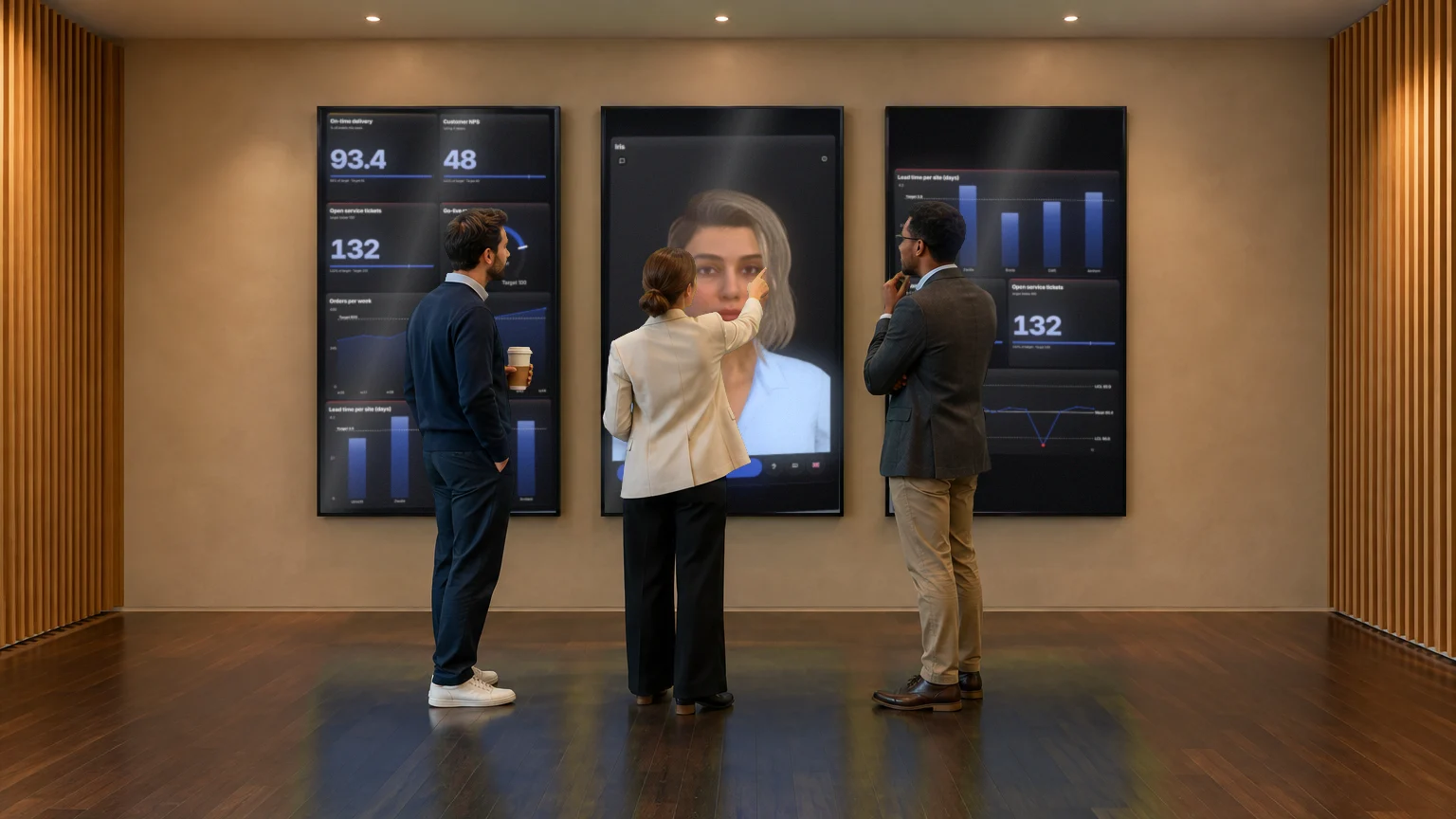
- Three standing screens on one wall are enough for a team that meets for fifteen minutes every day: goals and KPIs on the left, the CrewMate in the middle, what needs attention on the right.
- Nine screens in a U suit a programme with several teams, like the 86-inch screens in the Syner Suite.
- A laptop on a big screen is no shame for a first week.
Step 2: the software
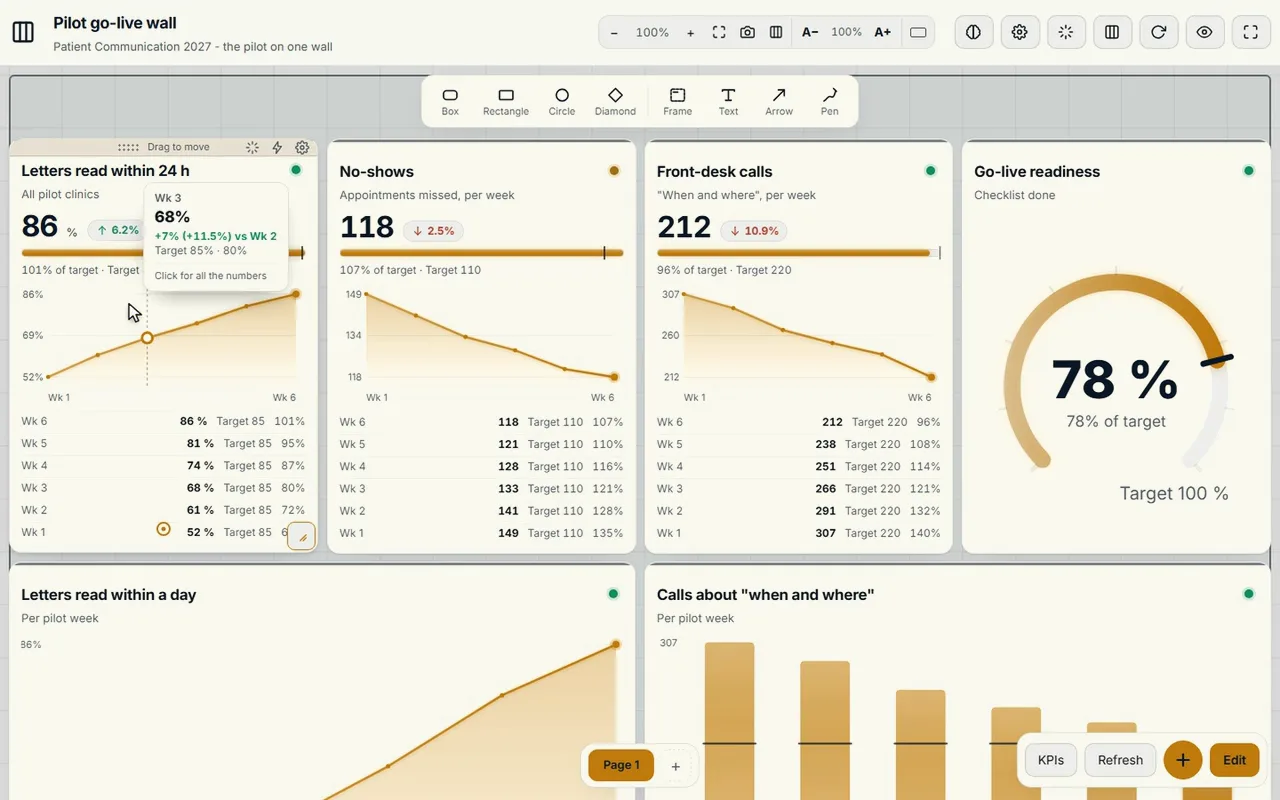
A war room stands or falls with the picture on it. A go-live wall in the Control Room can for example consist of KPIs with their target, trends and a readiness meter. At the top are four counters: what is behind, what is at risk, how many actions are overdue and what is on track. Tap a counter and you see only those tiles.
In addition you need:
- Actions with an owner and a date, visible on the board and on the timeline until they are done.
- A canvas to work out a problem, for example with an A3 or sticky notes.
- Video calling with whoever is not there, in the same environment as the board.
- A CrewMate that knows the journey and the board. It can set up a plan with owners and dates; you decide what you take over.
Step 3: the rhythm
| Moment | What | Duration |
|---|---|---|
| Daily | Stand-up in front of the wall: what is red, who picks it up? | Fifteen minutes |
| Weekly | Walk the walls together: plan, risks and decisions | Longer, with the decision maker present |
| Around the end date | Look every day at the criteria for ready | As needed |
Hold the stand-up at the same time and in the same place. The war room works when going there becomes a habit, not when it is a meeting somewhere in a calendar.
Five rules for the daily stand-up
- Start with what is red, not with the first tile.
- No action without an owner and a date.
- A problem that takes more than a few minutes goes to the canvas or a separate session.
- Whoever is remote simply takes part on the same board.
- What has been decided is recorded on the board, so nobody makes a decision twice.
Does it have to be faster and under more pressure, for example during an incident? Then read Setting up a crisis room. More about the screens themselves is in Immersive Obeya room. The basics are in the complete guide.
An example: the go-live wall
Suppose you are putting a new system live. On the first screen are the readiness meter and the three to five criteria for ready, each with a target. On the second screen is the plan with the milestones, on the third the actions with owner and date. The counters show how many actions are overdue. Every morning the team walks along the screens, and whatever is red gets an owner.
A CrewMate on the wall can help with the first plan: it sets up a go-live plan with owners and dates, and you decide what you take over. It also answers questions about what is on the board.
After the end date
A war room has an end. Keep what you have learned: the actions, the decisions and the conversations stay in the journey, with who did what and when. In a short look back, see what the war room did well and what you will set up differently next time. If you want to keep the wall for the follow-up, it becomes an ordinary Obeya.
Frequently asked questions
What is the difference between a war room and an Obeya?
A war room has an end date and revolves around one goal, such as a go-live or a launch. An Obeya is permanent and covers goals, plan, problems and actions. The set-up is very similar.
How many screens do I need for a war room?
Three standing screens on one wall are enough for a team that meets daily. For a programme with several teams, nine screens in a U may fit. A laptop on a big screen is enough for a first week.
What software do I need?
A board with live numbers and an overview of what is behind, actions with owner and date, a canvas, video calling and possibly an AI colleague. In CoVince that is in the same journey.
How often does a war room meet?
Daily fifteen minutes in front of the wall, weekly longer walking the walls together, and around the end date as often as needed.
Can remote colleagues take part?
Yes. Video calling is part of the board itself, and the board can be shown in the conversation, so everyone sees the same.
What is the difference between Obeya, war room and big room planning?
All three put a team in front of one shared picture. A war room is often temporary, big room planning is planning together in one room, an Obeya is the lasting wall with goals, numbers, plan, problems and actions. See the comparison.