
Obeya in construction and infrastructure: big-room planning with parties who never sit in one place
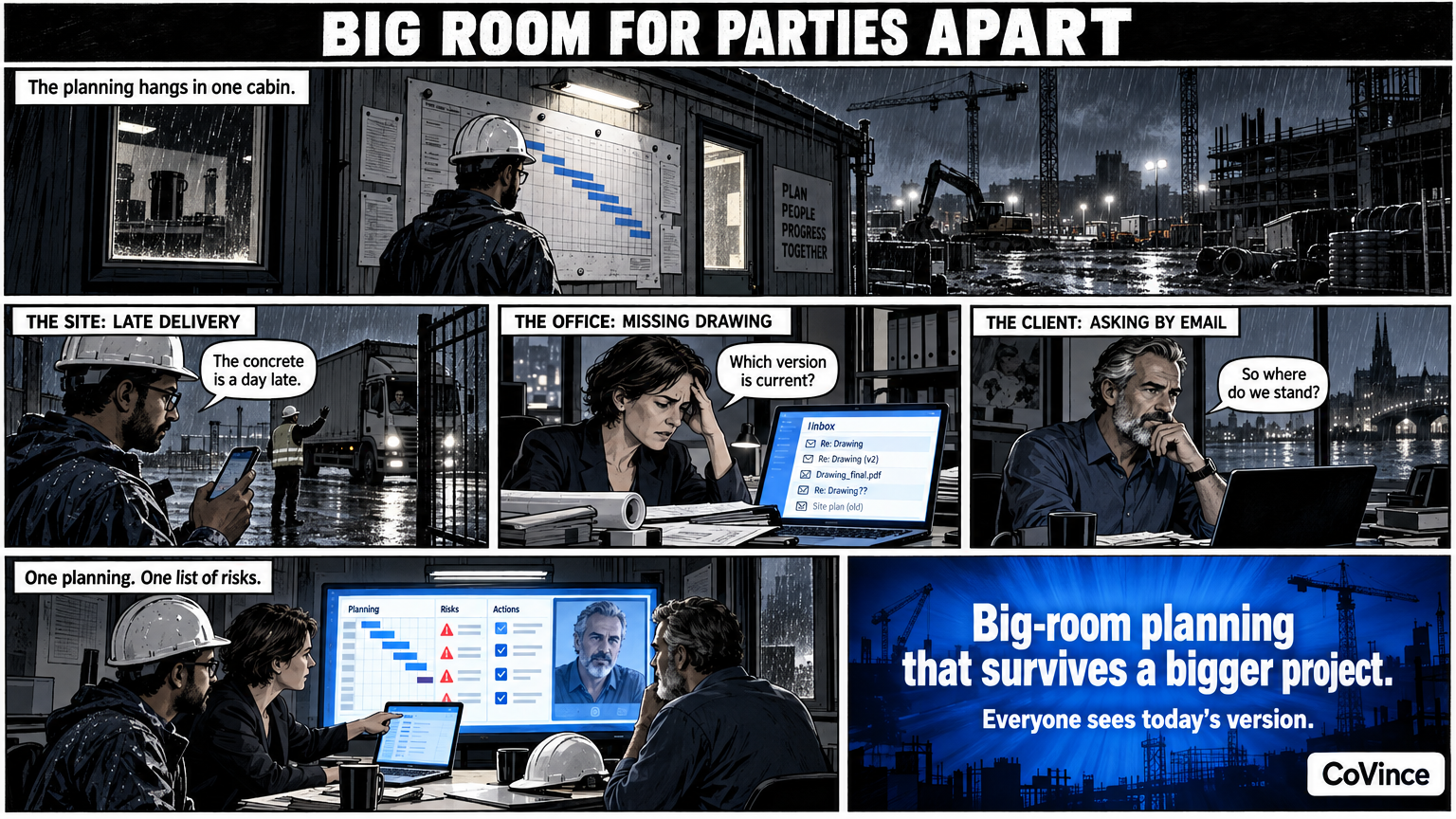
A construction or infrastructure project has a contractor, subcontractors, advisers and a client, and they rarely sit in the same room. An Obeya, often called big-room planning in construction, puts planning, risks and actions on one wall. Digitally, everyone looks at the same version, in the office, on site or at home.
Big room: the construction version of Obeya
Construction knows it already. A project team sits together in a big room and the planning hangs on the wall. That works well, until the project becomes bigger than a room. Then the site manager is on site, the work planner at the office, the adviser at another firm and the client in another city. The wall hangs in one room, and the rest ask by email how things stand.
A digital Obeya gives everyone the same wall. One planning, one list of risks and one list of actions, always today’s.
What hangs on the wall
| Wall | Examples in construction and infrastructure |
|---|---|
| Goals and KPIs | Delivery date, progress per phase, number of open reports, staffing, the number of completed work packages |
| Plan and milestones | Phasing, construction sections, delivery times, permits and the dependencies between parties |
| Problems and actions | A delivery that is late, a coordination with a utility company, a drawing that is missing |
| Decisions and risks | Changes, weather risks, dependencies on third parties |
Those are examples of topics and not a norm. The team decides itself which numbers it follows. You can take them from CoVince, from a CSV, from a connected source, or fill them in manually.
With parties who do not belong together
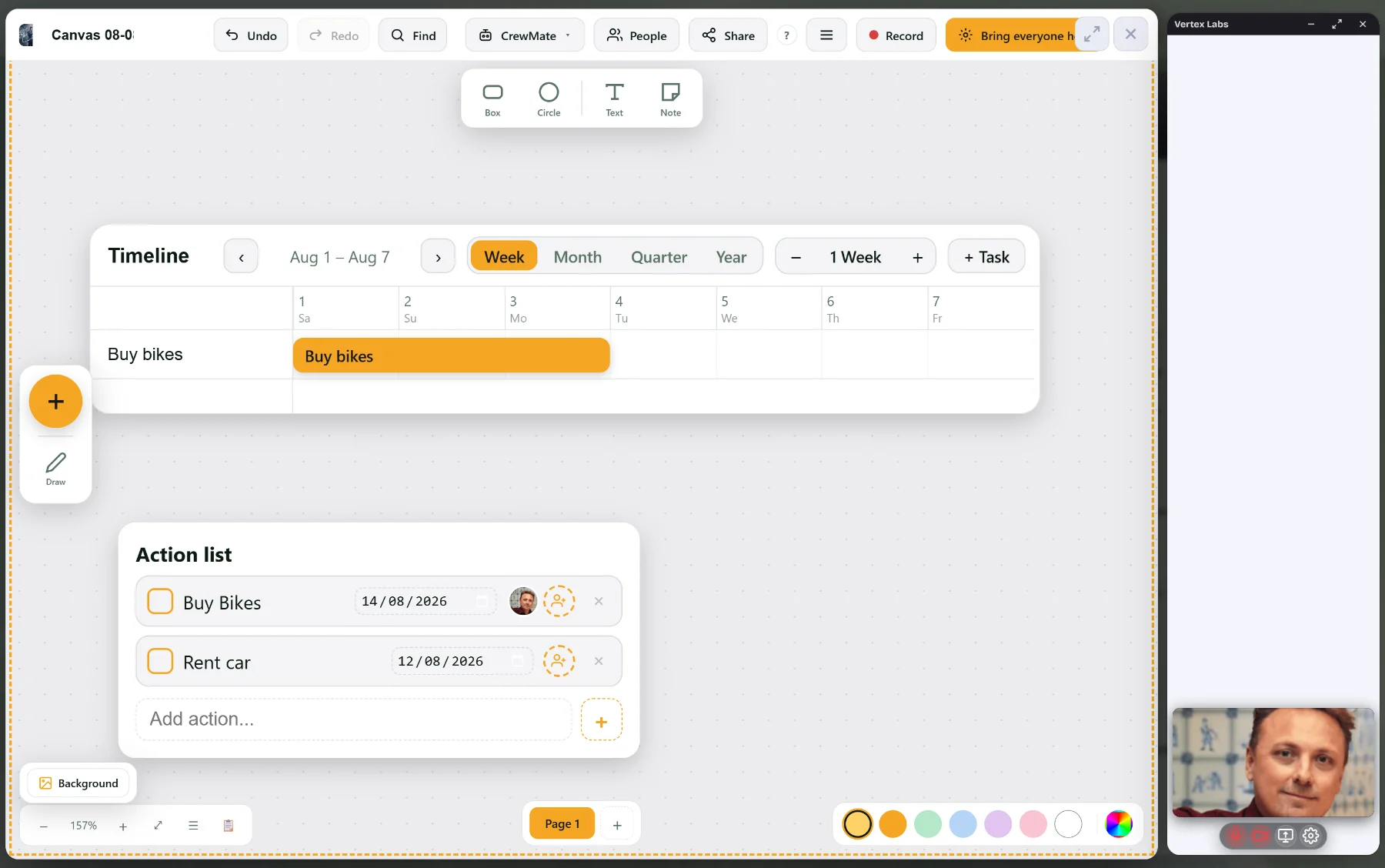
In construction you often work with parties who do not belong to your organisation: a subcontractor, an adviser, a supplier. That calls for a simple way to look along and talk along.
- Video calling on the board: an open conversation via a link, with a waiting room. Guests join without an account.
- The board in the conversation: show your canvas or Control Room in the call. Everyone sees at once what changes.
- Raise hand and chat: those taking part remotely get a turn too.
- Record: with transcript and summary, if you want, so that agreements are not only in the memory of one of those present.
Which data you share with external parties is up to you. Agree beforehand who may see what.
The rhythm: on the work site and on the wall
- Daily, fifteen minutes: short stand-up in front of the wall. What is red, who picks it up? In the site cabin or via a video conversation.
- Weekly: go through the planning and the risks with all parties, on the same wall.
- Per phase: recalibrate goals and KPIs, and record decisions.
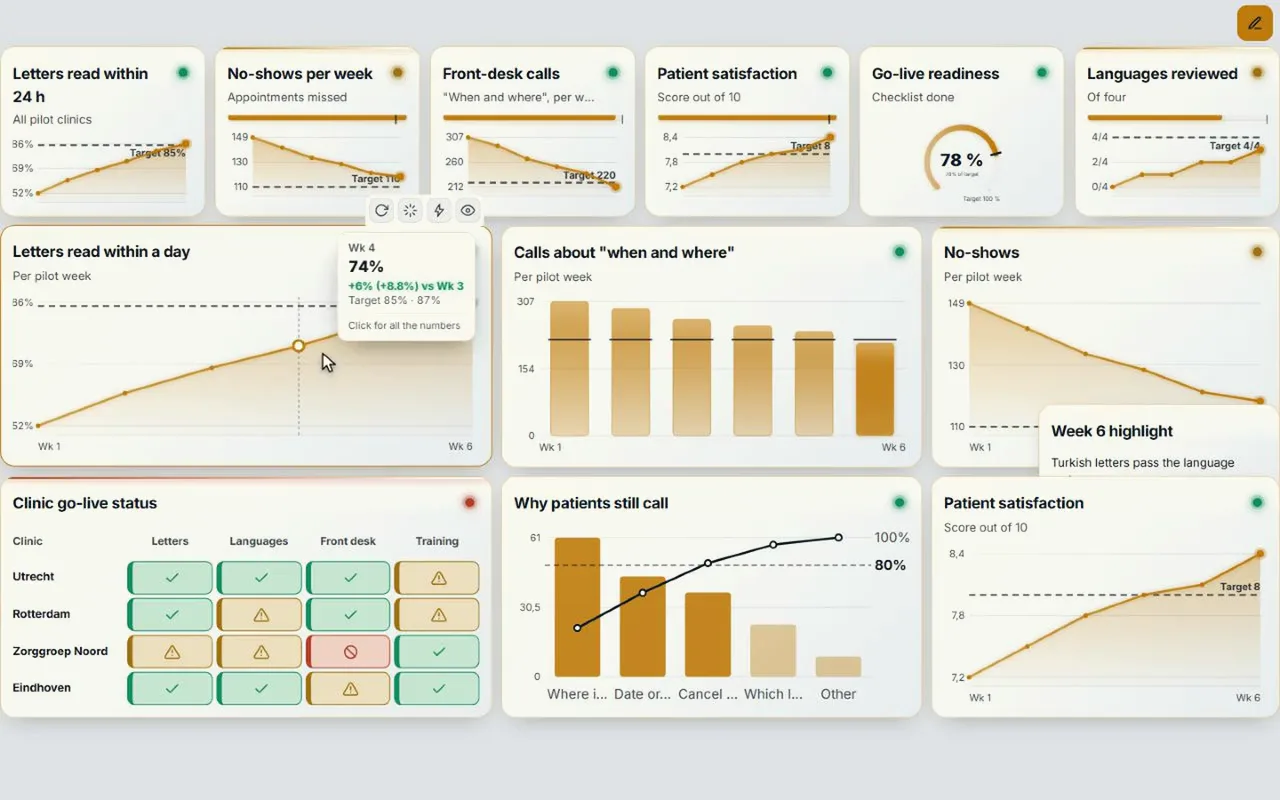
The Control Room shows at the top how many numbers are behind, at risk or on track, and how many actions are overdue. Tap one and you see only those tiles. So the stand-up starts with what needs attention. The whole rhythm is in Obeya stand-up: agenda and rhythm.
An action with owner and date
The most heard problem on a project is not that nobody knows, but that nobody picks it up. In CoVince every action has an owner and a date, and hangs on the board it is about. Tap a chart and you see which action is attached to it. The action stays visible on the board and on the journey’s timeline until it is done.
On the work site: laptop, screen or more
A digital Obeya works on a laptop and on one big screen in the site cabin or the project room. Whoever has a large project room can spread the board over three or nine screens. The Control Room gets a name per screen, for example Goals, Progress, Actions and Risks. That way the team walks along the wall, screen by screen. How to arrange that is in Obeya room setup.
How to start
- Choose one project or one phase. Put the delivery date and five to eight numbers on the wall.
- Bring the planning and the risks to the wall, and invite the parties to the weekly session.
- Let every action have an owner and a date, and let the team update the status itself.
- Keep it short. Fifteen minutes in front of the wall is enough.
Three things that often go wrong on construction projects
Every party keeps its own planning. The contractor, the subcontractor and the adviser work with their own versions. Put the joint planning on the wall and agree that only that one counts for the meeting.
The wall hangs in a room the execution does not come to. A digital wall can hang on a screen in the site cabin, and on a laptop at home. The site manager does not have to go to the office to see what the planning is.
Risks are in a list nobody opens. Put them on a wall of their own, with an owner, and walk along them every week. A risk that has not been discussed for a month has probably not become smaller.
Frequently asked questions
What is the difference between big-room planning and Obeya?
Big-room planning is the construction version of the same idea: the project team together, the planning on the wall. An Obeya adds goals, KPIs, problems, actions and risks, in a fixed rhythm.
Can subcontractors and advisers take part?
Yes. Guests join the video conversation via a link without an account, with a waiting room. What you share with them is up to you.
Does it work in the site cabin?
Yes. A digital Obeya works on a laptop or one big screen. Whoever has a larger room can spread the board over three or nine screens.
How do you make sure actions do not disappear?
Every action has an owner and a date, hangs on the board it is about and stays visible on the timeline until it is done.
How much time does the stand-up take?
Fifteen minutes in front of the wall is enough, daily or a few times a week, with a longer weekly session on planning and risks.