
Obeya room setup: walls, screens and layout
Setting up an Obeya room does not start with the screens but with the question of how your team works. For a fifteen-minute stand-up, three standing screens in an ordinary meeting room are enough; for a programme with several teams a U of nine screens works better, and for big sessions there are LED walls. Below we compare the options and explain how to lay out the room.
Start with the rhythm, not the screens
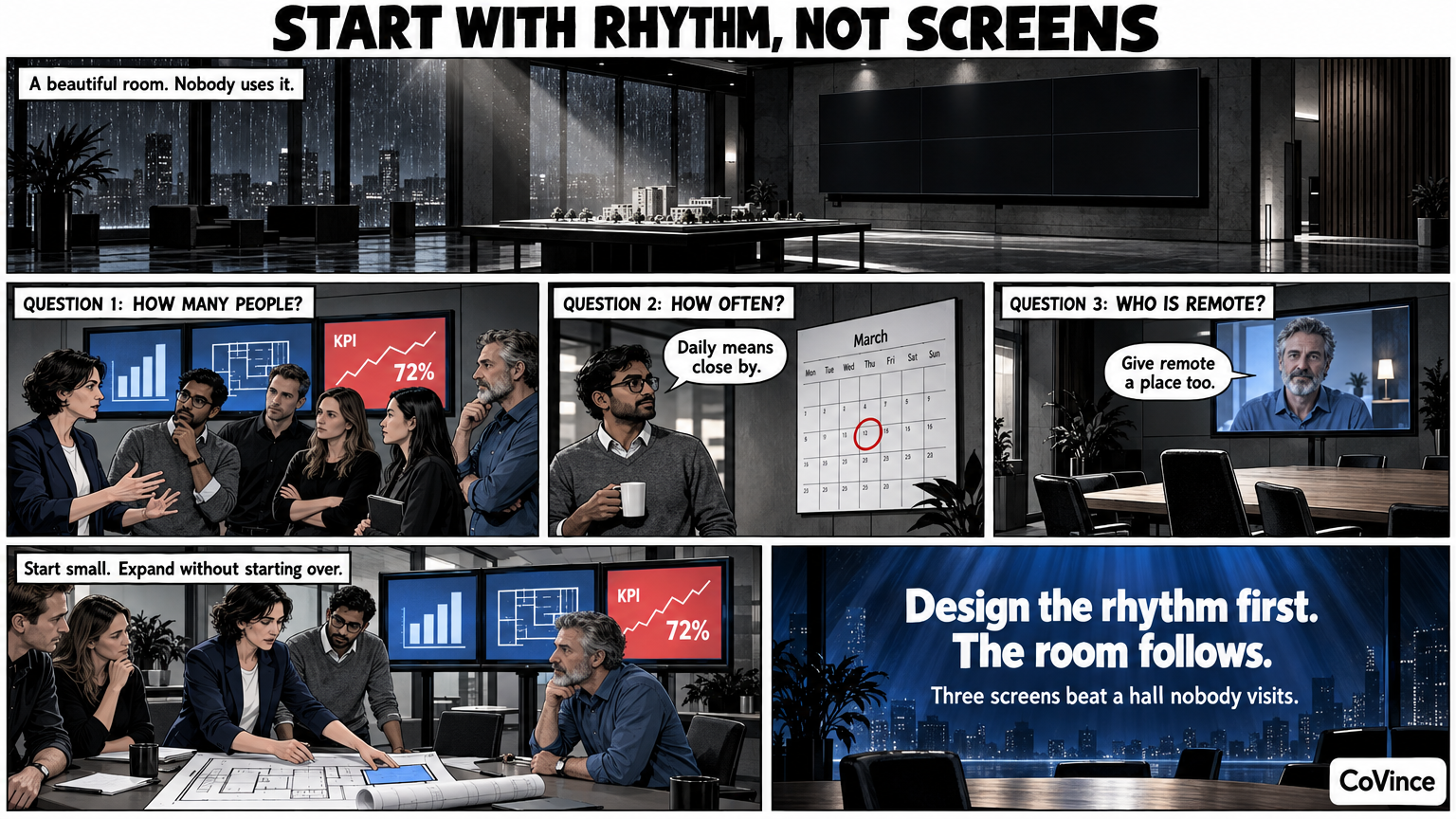
Most Obeya rooms are thought of too big. If you first have a hall built and only then work out how the team will work in it, you end up after six months with a beautiful room and a wall nobody maintains. Turn it around. First answer three questions:
- How many people stand in front of the wall? Six people who meet for fifteen minutes every day need something different from twenty people in a weekly steering group.
- How often? A daily stand-up deserves a room you can be standing in within a minute. A monthly session can easily take place in another hall.
- Who is remote? If part of the team works from home, the room must give the remote colleague a place too.
The answer decides whether you start with one screen or a whole U. The good news: the same Control Room fits every set-up. You can start small and expand without starting over.
Paper, screens or LED
There are roughly three ways to fill the walls.
| Option | Strong | Weak |
|---|---|---|
| Paper and sticky notes | Cheap, immediate, anyone can stick something on it. | Only works for people standing in the room; prints go stale quickly; no link to live numbers. |
| Separate screens | Live numbers, also for remote colleagues; scales from one to nine. | Bezels between the screens; you have to give each screen a theme. |
| LED wall | Seamless picture, charts and canvas so big that you stand in the middle of them. | Suits big sessions and presentations; more investment and space. |
Most teams do not choose one of the three but grow: paper and a laptop at the start, then one or three screens, and only when the Obeya has a fixed place in the working week a full set-up.
One screen or a laptop
You do not need a special room. A digital Obeya works on a laptop or on one big screen in an ordinary meeting room. That is the cheapest way to test whether the rhythm sticks. The Control Room is a board of tiles that spreads itself over one, three or nine screens; on one screen the board shows what needs attention, and you tap a tile for the trend per week.
Three standing screens
Three standing screens side by side are enough for the daily huddle. On the left are the goals and KPIs, in the middle the CrewMate, on the right what needs attention. It fits in an ordinary meeting room and a small team can run a fifteen-minute stand-up with it.
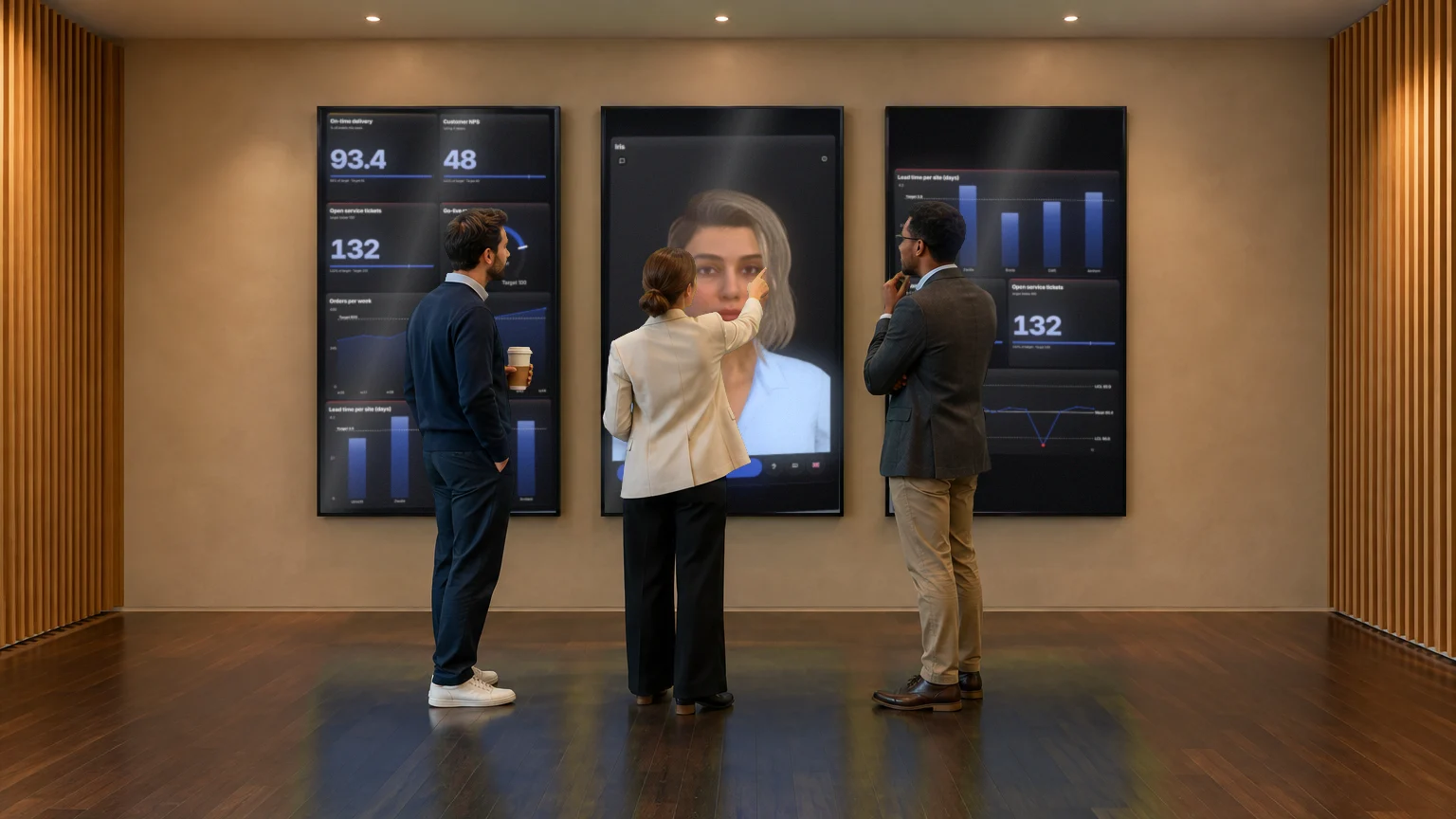
Suits small teams, a single department or a first Obeya.
Nine screens in a U
Nine standing screens in a U, three per wall, like the 86-inch screens in the Syner Suite. Each wall gets a theme: goals and numbers, plan and actions, problems and remote colleagues. The team walks along the walls, much like a classic Obeya, but with live data. This suits programmes and projects with several teams and the weekly Obeya session.
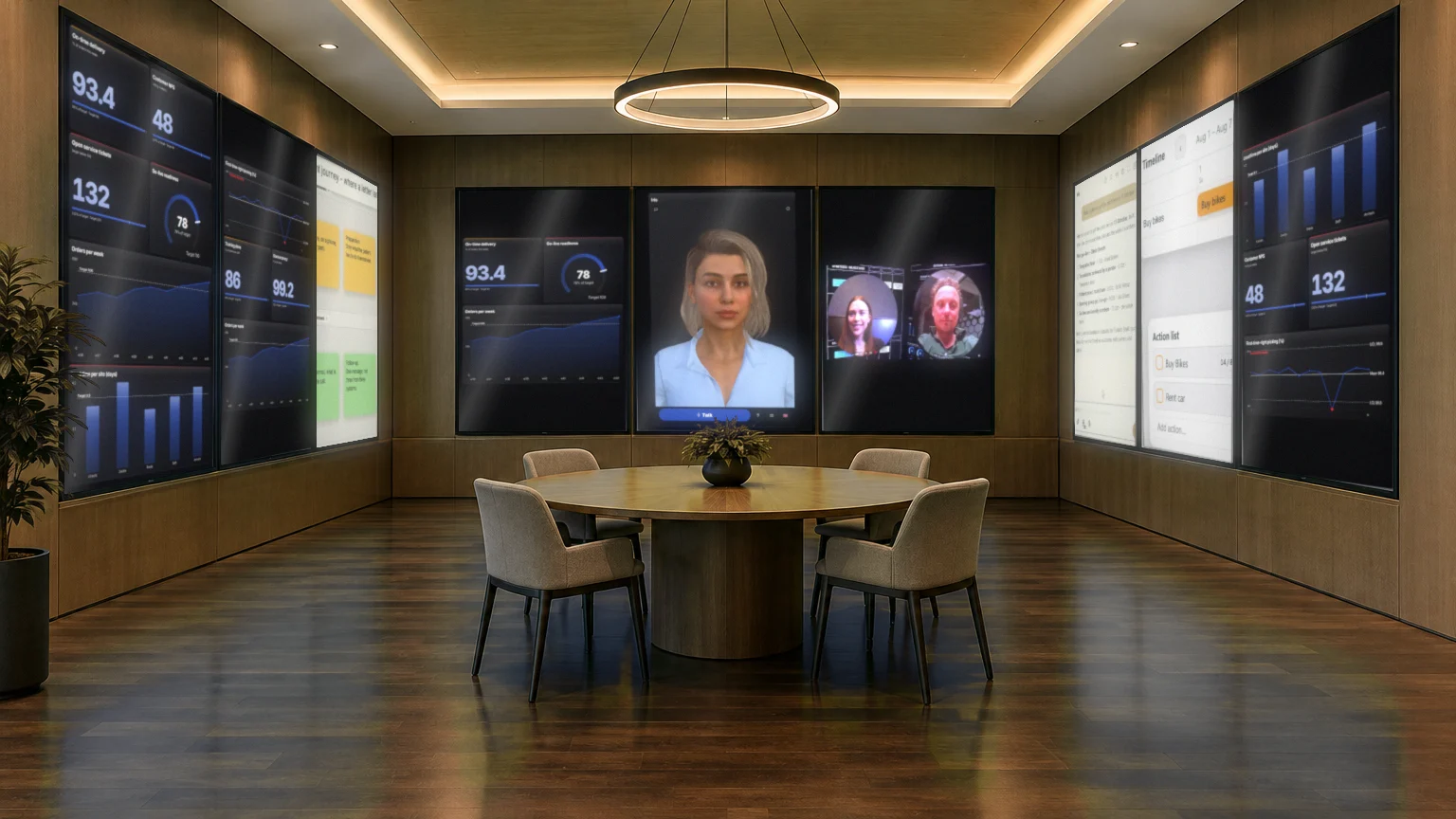
The Syner Suite is CoVince’s immersive room in exactly this set-up. The Control Room, the canvas and the conversation are on it, and you operate the room with a tap on the wall or with your voice. You can read more about it in Immersive Obeya room.
Three LED walls
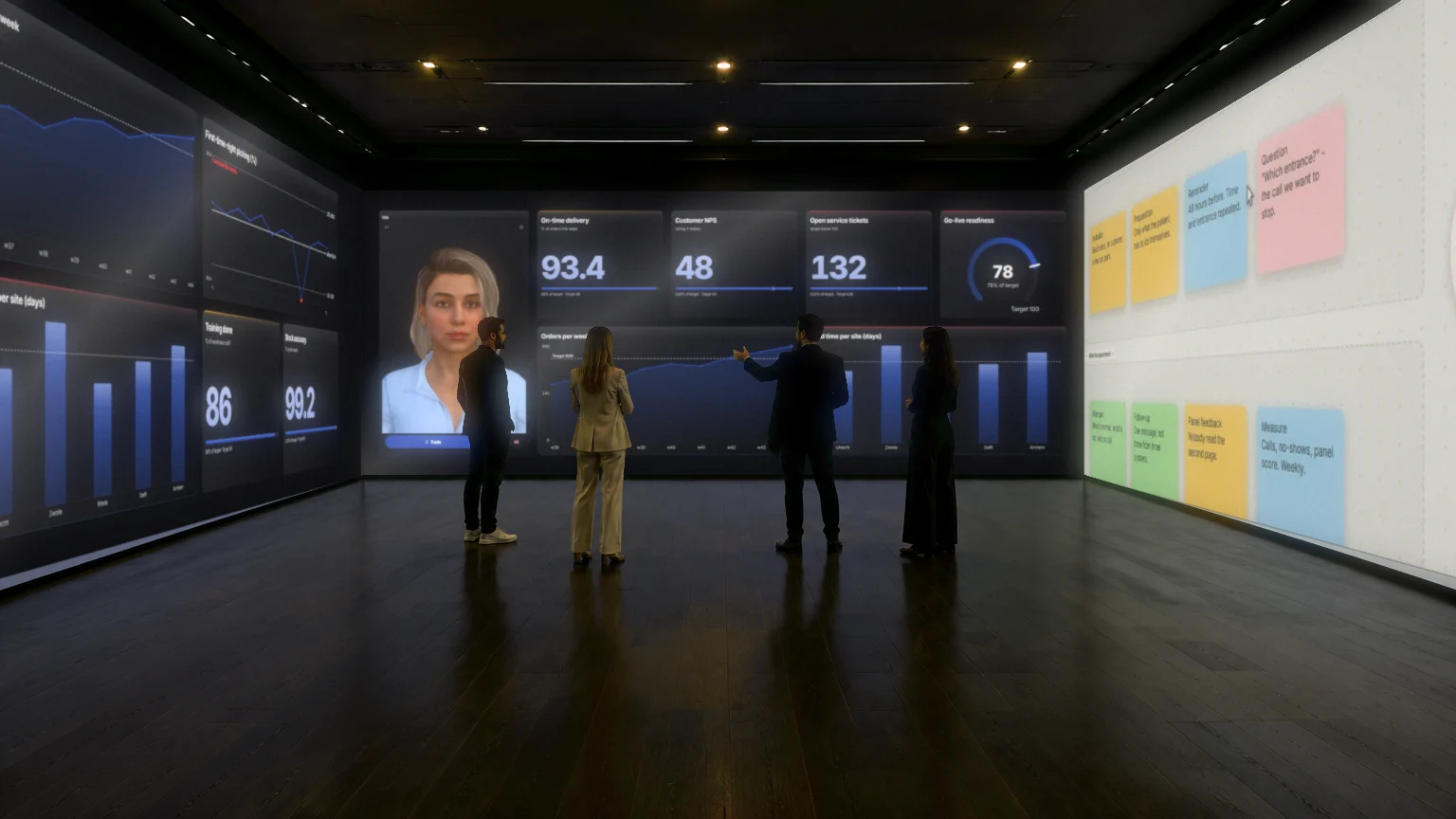
With the LED variant each wall is one seamless picture, without bezels. Charts, the canvas and the CrewMate become so big that you stand in the middle of them. That suits large groups, steering groups, presentations and demos: moments when everyone has to see the same thing. For a daily stand-up it is usually too much of a good thing. You will find a comparison with separate screens in LED wall or separate screens?.
The layout: what goes where
However many screens you have, the layout follows the same logic as the wall of a classic Obeya. A proposal that returns on CoVince’s Obeya page:
- Goals and KPIs. What do we steer on and are we on track? Every measurement with a target: green, orange or red.
- Plan and milestones. The phases, the milestones and who picks up what.
- Problems and actions. What is not going well, and what do we do about it? Every action an owner and a date.
- Decisions and risks. What has been decided, and what can still hit the project?
In a U with three walls that means goals and KPIs on the left, plan and actions in the middle and problems and remote colleagues on the right. On a standing row of three screens you choose the same order from left to right. We explain the themes themselves in The five Obeya walls.
A simple floor plan
- If you have more than three screens, put them on the long and the short wall, not all in one row. That gives you the U.
- Leave the middle of the room empty or put in a low table at most. An Obeya is a standing workplace: whoever sits starts texting.
- Give the remote colleague a fixed place on one of the walls, so everyone knows where to look.
- Keep an eye on the viewing distance: a KPI wall must be readable from a few metres.
Practical choices
Standing or landscape screen?
CoVince’s set-ups are built on standing screens. That suits tiles and lists you read from top to bottom, such as an action list, and you get more content side by side in a U.
Video and sound
Video calling is part of CoVince itself, next to the board. A remote colleague is on the wall and the board stays in the middle. Think of a good microphone in the room; the wall shows the picture, but the sound makes the conversation.
Operation
In the Syner Suite you operate with a tap on the wall or with your voice. The CrewMate answers questions about the numbers out loud, handy when you are standing during the stand-up and your hands are not free.
Who manages the wall?
Who sees which board and may change it depends on the journey and the organisation. Agree who owns the Obeya, otherwise the wall belongs to nobody.
How to choose
- Small group, daily stand-up, first Obeya: one screen or three standing screens.
- Several teams, weekly session, programme: nine screens in a U.
- Large group, steering group, presentation: three LED walls.
- Not sure: start with one wall and a stand-up. You can add the rest later.
Want to know what belongs on the walls and what the rhythm looks like? Start with the complete guide to Obeya.
Frequently asked questions
How many screens do I need for an Obeya?
That depends on your team. A digital Obeya works on a laptop or on one big screen. Three standing screens are enough for a daily stand-up, nine screens in a U suit programmes with several teams.
Do I need a special room?
No. A digital Obeya works in an ordinary meeting room. The Syner Suite is there for those who also want the walls around them physically.
What is the difference between separate screens and an LED wall?
With separate screens there are bezels between the pictures and you give each screen a theme. With an LED wall each wall is one seamless picture, which suits big sessions, presentations and demos.
What belongs on which wall?
A common layout is goals and KPIs, plan and milestones, problems and actions, and decisions and risks. In a U with three walls, goals and numbers are on the left, plan and actions in the middle and problems and remote colleagues on the right.
Can remote colleagues take part?
Yes. Video calling is part of CoVince itself, next to the board. The remote colleague is on the wall, the board stays in the middle.
How do I set up an Obeya?
Start with how your team works. Pick a setup (three screens for a team huddle, nine for a full Obeya, LED walls for big sessions), give each wall or screen a theme such as goals and numbers, plan and actions, or problems, and schedule a fixed stand-up.