
Obeya in Miro, Teams or Power BI: what works and what does not?
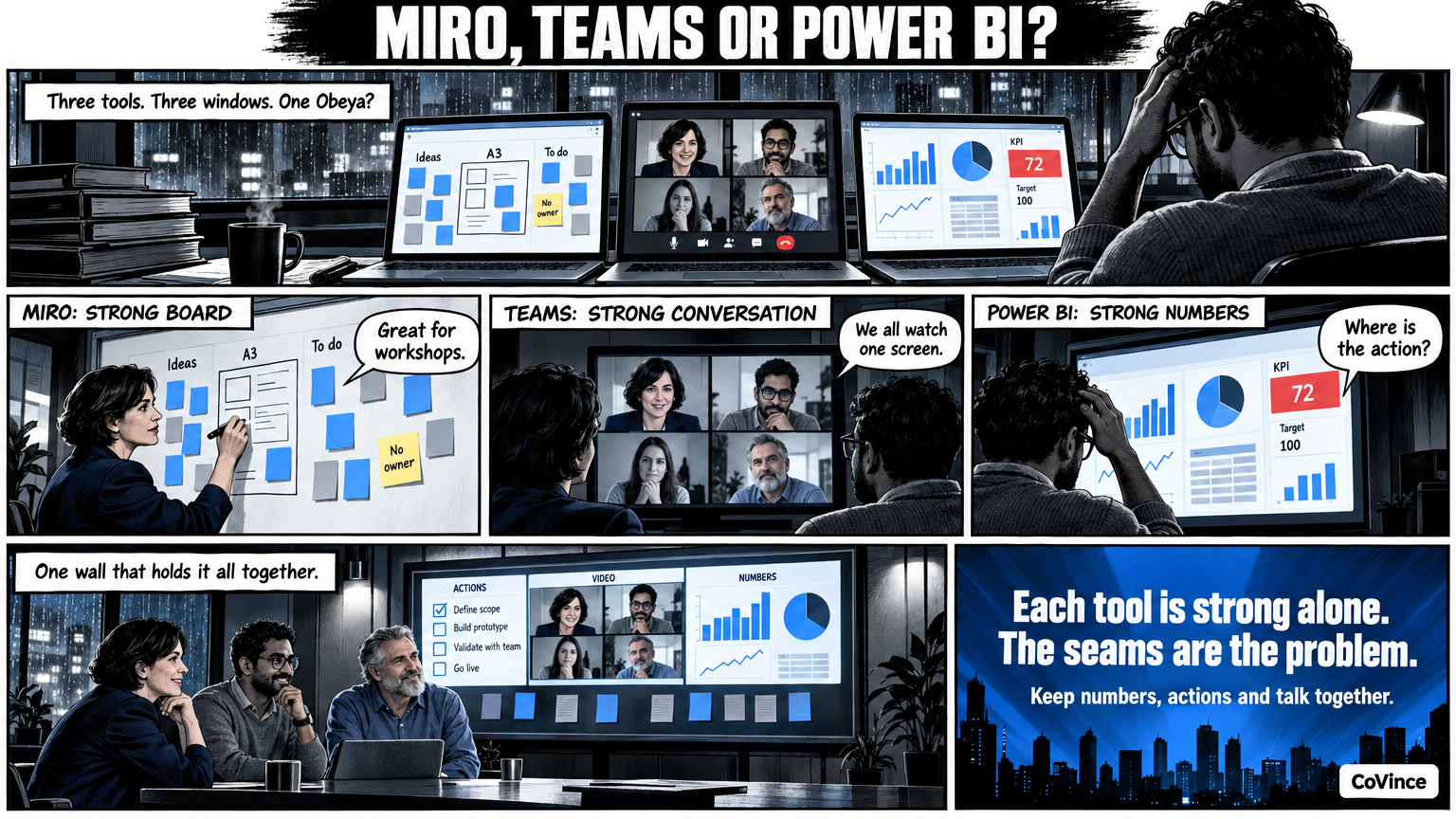
You can build an Obeya in Miro, Teams or Power BI, and to a degree that works fine. Miro is strong as a board, Teams as a place to talk and Power BI as a place for numbers; none of the three combines everything in one wall. Here you see per tool what you get, where it chafes and when it pays to look at an environment that keeps all those parts together.
Most teams do not start with new software. They have Miro for workshops, Teams for meetings and Power BI for reporting, and wonder whether together that can be an Obeya. An honest answer: yes, with effort, if you accept the edges. Below is what each tool does well and where the seams are.
Miro: strong as a board
Good at: an infinite board, sticky notes, frames, drawing together. For a problem analysis or an A3 that is exactly what you want.
Chafes at: numbers. A KPI there is a picture or a number someone updates. The board itself does not show what is behind or overdue, and an action on a sticky note has no owner or date that comes back anywhere else.
Fits: workshops and designing the Obeya itself.
Teams: strong as a conversation space
Good at: meeting, chatting, sharing files and video calling. Almost everyone already has it.
Chafes at: the shared picture. You can share a screen, but then everyone looks at one person’s screen instead of a wall they walk through themselves. The wall itself is not in Teams: it lives somewhere else and is brought in.
Fits: the conversation around it, when the Obeya itself lives elsewhere.
Power BI: strong for numbers
Good at: data from many sources, calculations and reports that look professional. If your numbers are already there, they are well managed there.
Chafes at: everything that is not a number. A report shows that something deviates, but the action, the owner, the decision and the conversation are elsewhere. An Obeya stand-up is about what you do about it now, and that is not in the report.
Fits: the source of the numbers, not the wall itself.
Side by side
| Part of an Obeya | Miro | Teams | Power BI | Obeya in CoVince |
|---|---|---|---|---|
| Board to work on together | Strong | Limited | Not found | Canvas with sticky notes, shapes, arrows and charts |
| Numbers and trends | Manual or via apps | Not found | Strong | Tiles with KPIs, meters and trends |
| Seeing what is behind | Not found | Not found | By your own design | Counters for behind, at risk, overdue actions, on track |
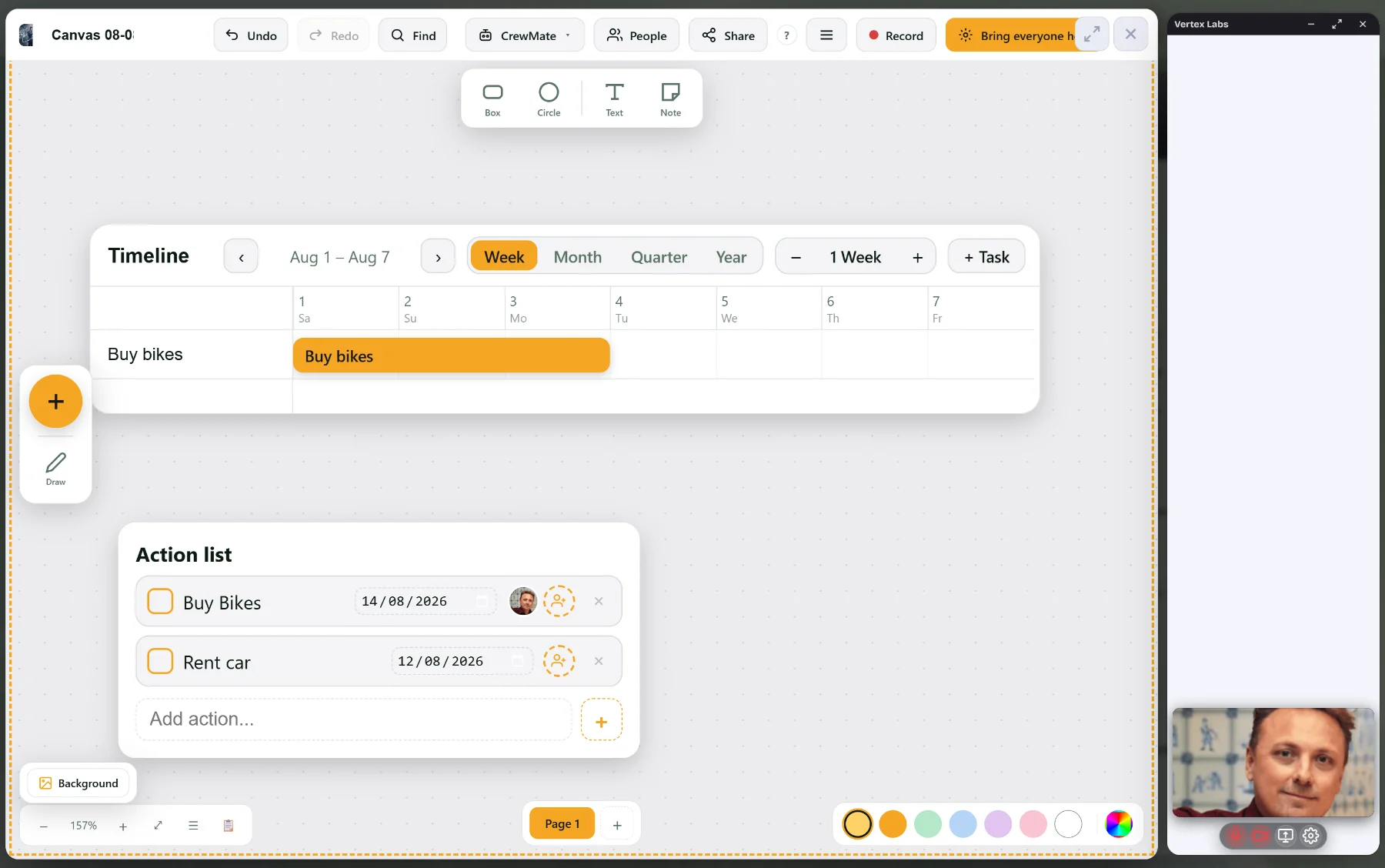
| Actions with owner and date | On a sticky note | Via another app | Not found | Actions and timeline in the same journey |
| Video calling | Built in, from the Starter plan (per Miro) | Strong | Not found | Built in, with the board in the conversation |
| Multiple screens as a wall | By your own set-up | Not found | By your own design | Control Room on one, three or nine screens |
| AI that knows the numbers | Varies | Varies | Varies | CrewMate on the board, out loud too |
The columns for Miro, Teams and Power BI are general and depend on your licence and your set-up. Check that against your own environment. The last column is what CoVince describes on the main page.
When do you stay with what you have?
- Your team is small and the Obeya is mainly a temporary workshop: Miro is enough.
- Your numbers are already well managed in a reporting tool and that stays the source: keep it that way, and only look at the wall around it.
- You first want to experience whether an Obeya works for you: start with what exists, and see after a month what chafes.
When does your own Obeya environment pay off?
When you notice you are switching between three tabs during the stand-up, that numbers and actions are not together, or that remote colleagues have a different picture from the room. Then it is worth looking at an environment where the wall, the actions, the conversation and the CrewMate are in the same journey. What you can bring in as numbers from other sources is best seen in a demo. Do not assume a specific connection exists; ask.
A checklist to assess any tool is in Choosing Obeya software. What a live wall delivers you can read in Digital Obeya, and the basics in the complete guide.
Frequently asked questions
Can I build an Obeya in Miro?
Yes, as a board. For a problem analysis or an A3, Miro is handy. For numbers that refresh themselves and actions with owner and date you usually need something extra.
Is Teams suitable for a digital Obeya?
Teams is strong for the conversation and sharing files, but the wall itself is not in it. You share one person's screen instead of everyone walking through the same wall.
Can Power BI replace an Obeya?
Power BI is good at numbers and reports, but an Obeya also needs actions, decisions, risks and a conversation. Use it as a source of numbers, not as the whole wall.
Can I use numbers from another tool in CoVince?
The tiles take numbers from CoVince itself, from a CSV or from connected sources, or you type them in. Which sources suit you, we show in the demo.
What is the advantage of everything in one environment?
You do not switch between tabs during the stand-up: the wall, the actions, the timeline, the video calling and the CrewMate are in the same journey, and remote colleagues see the same as the room.