
Choosing Obeya software: an honest checklist
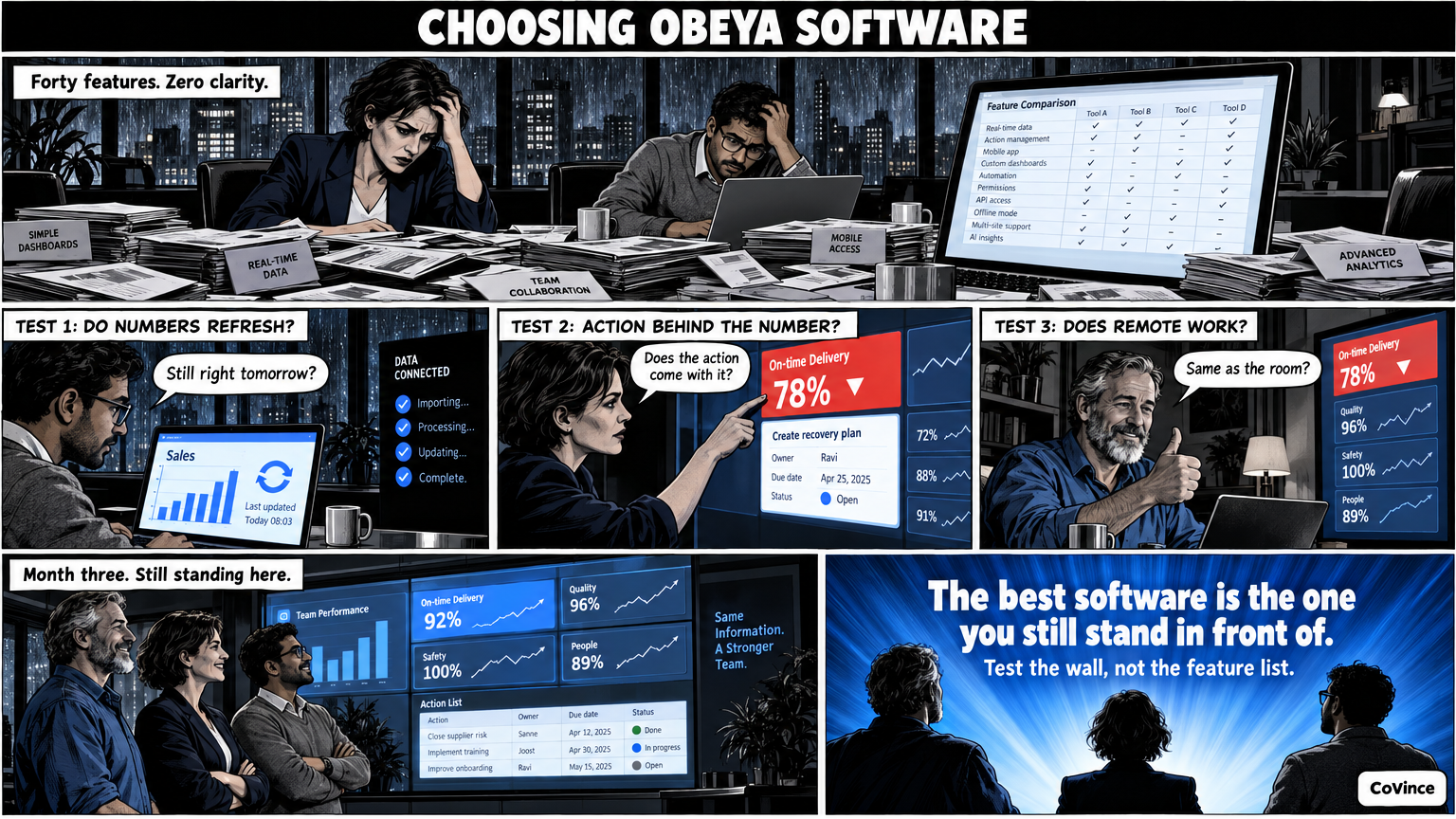
The best Obeya software is the software the team is still standing in front of after three months. Use the nine questions below to compare tools: they are about live numbers, actions, hybrid working, screens and security, not about the number of features.
When choosing software for an Obeya, many teams first look at the list of features. That is understandable, but it says little. An Obeya rarely fails because a feature is missing. It fails because the wall is no longer updated, because actions have no owner, or because half the team does not see it. With those three risks as the starting point, these are the questions that matter.
Nine questions to assess a tool
| Question | Why it counts | What you test |
|---|---|---|
| 1. Do the numbers refresh by themselves? | Updating by hand is why paper walls die. | Connect a real source or CSV and see whether the wall is still right tomorrow. |
| 2. Do you see the action right away from a number? | A red KPI without an action is a worry, not a decision. | Tap a chart: does the action come with it, with owner and date? |
| 3. Does every action have an owner and a date? | Without an owner an action stays stuck. | Create an action and see whether the timeline shows it. |
| 4. Does it work for remote people? | Hybrid is now the standard, not the exception. | Do a stand-up with someone at home: do they see the same as the room? |
| 5. Does it fit on multiple screens? | A wall is bigger than a laptop. | Open the wall on a big screen and on three screens. |
| 6. Does the team see at a glance what needs attention? | A fifteen-minute stand-up has no time to search. | Do you see without clicking what is behind and what is overdue? |
| 7. Is the board usable without custom work? | Custom work means dependence on a builder. | How long does it take from description to first board? |
| 8. What about security and access? | An organisation’s numbers are sensitive. | Ask about certification and who sees and may change which board. |
| 9. Is everything kept? | Decisions that disappear get made twice. | Can you find out who did what and when? |
The three questions that most often decide it
Live numbers (question 1)
If the numbers have to be retyped by hand, the chance is high that it stops after a few weeks. So do not only ask whether there is a connection, but which sources you really use. In CoVince, numbers come from CoVince itself, from a CSV or from connected sources, or you type them in. Which sources suit you, we show in the demo; do not assume it without testing.
From number to action (questions 2 and 3)
This is the difference between a dashboard and an Obeya. A dashboard shows that something is red. An Obeya makes sure someone picks it up. Look for a tool in which KPI and action belong together, and in which an action stays visible on the board and on a timeline until it is done.
Hybrid and multiple screens (questions 4 and 5)
Test this with a real stand-up, not with a demo. Put someone at home, show the wall on a big screen and see whether both sides see the same. CoVince has video calling in the board itself and a Control Room that spreads over one, three or nine screens.
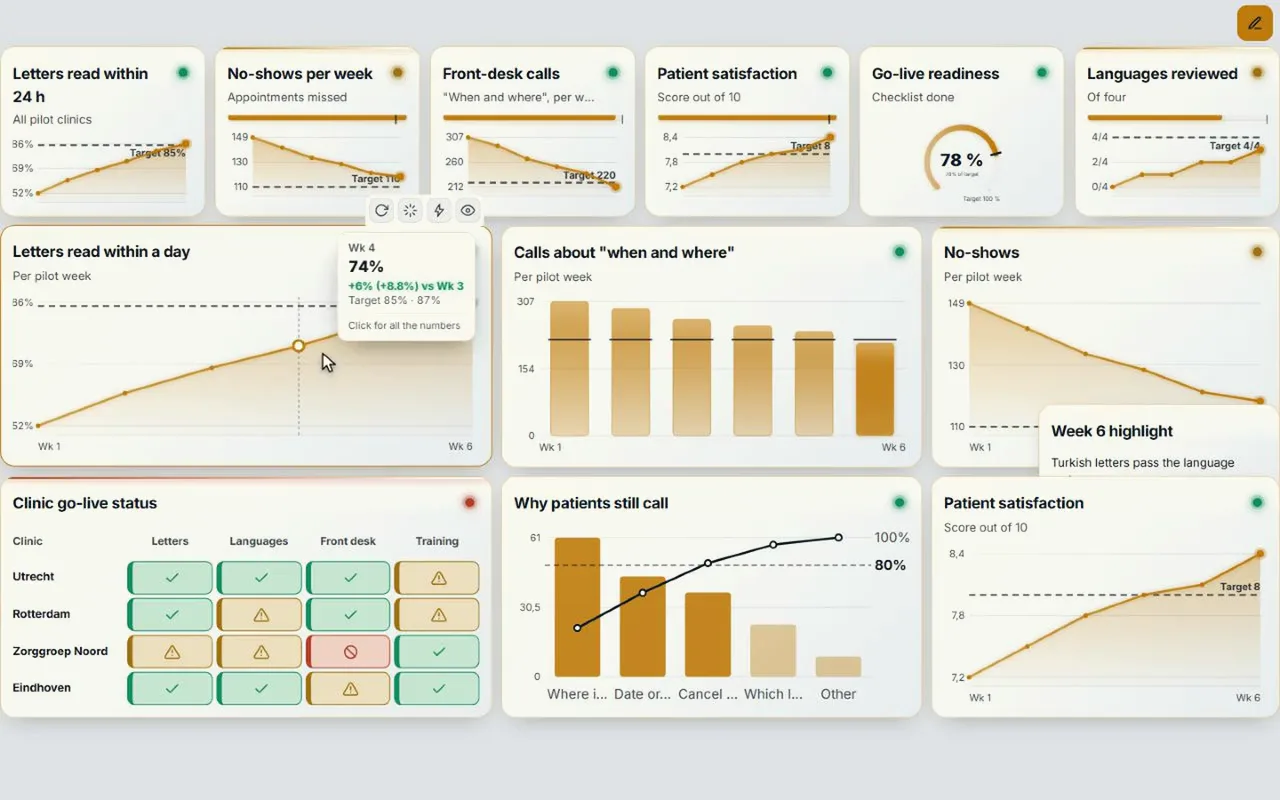
What people often overlook
- The pilot is too big. Start with one wall and one team. If that does not work, the full Obeya will not work either.
- Nobody owns the wall. Software does not solve that. Someone has to lead the stand-up and guard the agreements.
- The tool is nice, but the stand-up is not. Start with the rhythm: daily fifteen minutes, weekly walk the walls, per period recalibrate the goals.
- You choose only on price or only on features. Look at what is still used after three months.
How to test it in a week
- Pick three KPIs you really follow and one source they come from.
- Build a wall from them and hang it on a big screen.
- Hold a fifteen-minute stand-up five days in a row, with at least one person remote.
- Look on Friday: are the numbers still current, do the actions have an owner, and does the team want to continue?
Want to know how this compares to tools you already have? Read Obeya in Miro, Teams or Power BI?. Want to see what a live wall looks like? Start with Digital Obeya. The background is in the complete guide.
Frequently asked questions
What is the minimum Obeya software should offer?
Live or easily updated numbers, actions with owner and date attached to the KPI, a board that fits on multiple screens, and participation for remote people. Without those four the wall stays a poster.
Is an ordinary dashboard enough for an Obeya?
A dashboard shows what is red. An Obeya also needs the actions, decisions and the conversation, so that someone also picks it up. Check whether those parts belong with the numbers.
How long does it take to build a first digital Obeya?
That depends on your sources. In CoVince, Make with AI turns a short description into a proposal with pages, measurements and their source, which you confirm yourself with Build. A first wall can start as small as you like.
What about security?
CoVince is ISO 27001 certified. Who sees and may change which board depends on the journey and the organisation. Ask every tool about certification and access rights.
Do we have to set up a special room?
No. A laptop or one big screen is enough for a first Obeya. Three or nine screens can come later, if the team wants them.
Which software fits a digital Obeya?
Software that shows live numbers, keeps actions with an owner and a date, lets remote colleagues see the same wall and works on the screens in your room. Go through the nine questions on this page, and see Obeya software compared.
Are there alternatives to iObeya?
Yes. There are Obeya platforms, whiteboard tools with Obeya templates and board tools where you build an Obeya yourself. An honest comparison on criteria is in iObeya alternatives and Obeya software compared.