
Free Obeya template: the five walls to fill in and print
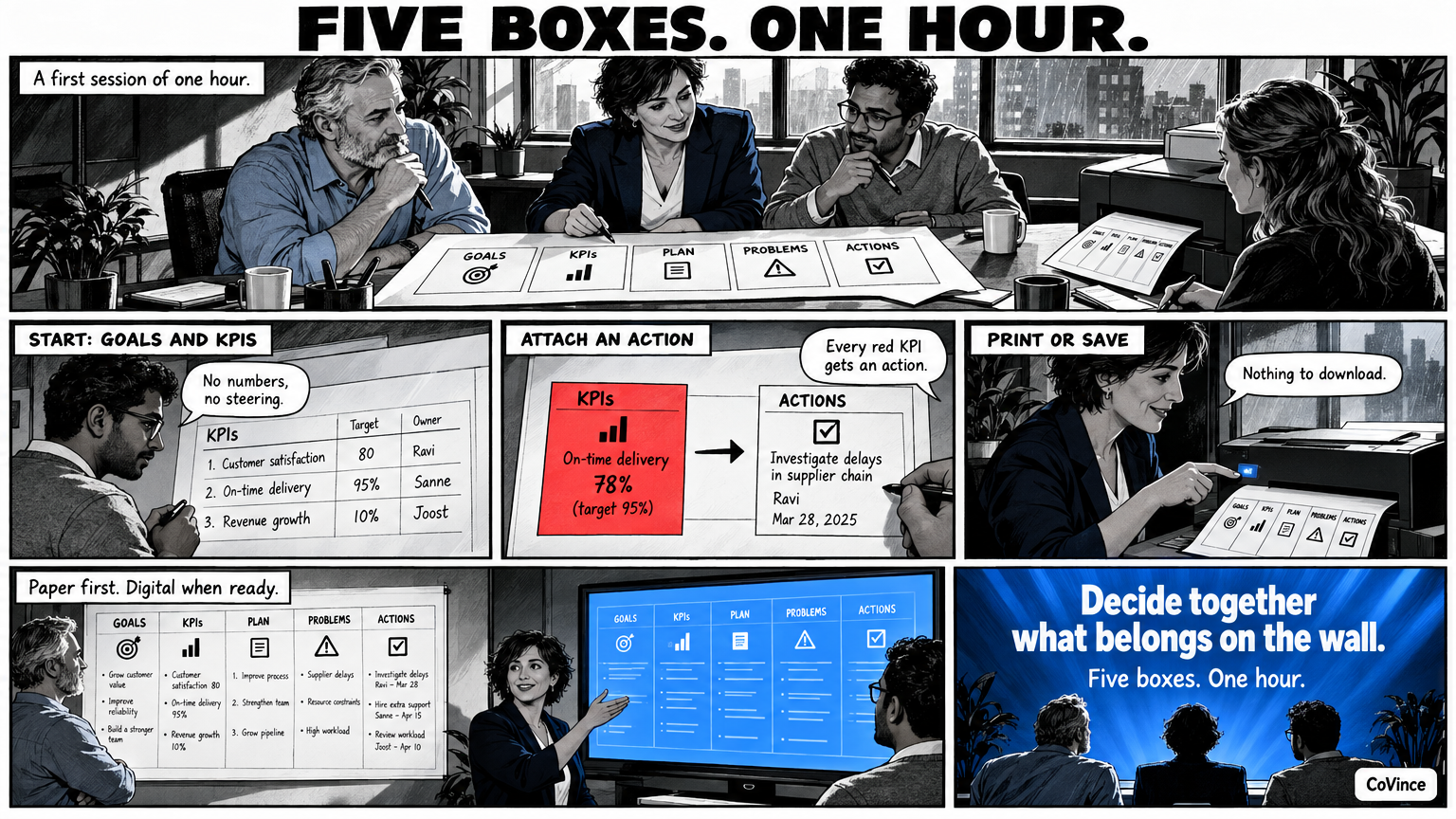
This is an Obeya template with the five walls: goals, KPIs, plan, problems and actions. You fill it in on this page and print it, or save it as PDF with the print button. Nothing has to be downloaded and nothing is stored: if you close the page, the form is empty.
Use the template as a starting point to decide with your team what belongs on the wall. Meant for a first session of an hour: fill in the five boxes together, choose the KPIs and make the first actions. After that you can hang it on paper, or move it to a digital wall.
Obeya template, CoVince Obeya (covince.com/obeya)
Team and period
1. Goals: what are we steering on?
What do we want to achieve, and for whom? One or two sentences. Keep it short.
2. KPIs: are we on track?
Five to eight numbers, each with a target and an owner. Status: green, orange or red.
| KPI | Target | Now | Owner | Status |
|---|---|---|---|---|
3. Plan and milestones: what has to happen?
The phases, the milestones and who picks up what. What is on this week?
| Milestone or phase | Date | Owner | Depends on |
|---|---|---|---|
4. Problems: what is not going well?
Deviations, blockers, risks that are getting closer. What is the cause, as far as known?
| Problem | Cause (as far as known) | Affects KPI |
|---|---|---|
5. Actions: who does what, and when?
Every action an owner and a date, and it stays up until it is done.
| Action | Owner | Date | Belongs to | Done |
|---|---|---|---|---|
Decisions and risks
In the CoVince Obeya a wall of its own: what has been decided, and what can still hit it?
How to use the template
- Start with goals and KPIs. Without numbers and goals you cannot steer anything.
- Immediately attach an action to every red KPI with owner and date.
- Add problems and risks when the rhythm is in place.
- Plan and milestones last. Only when the stand-up has become a habit.
You do not have to fill in all five boxes at once. An Obeya that starts small and stays alive does better than a full wall nobody maintains. Each box comes with a question. See The five Obeya walls for the explanation per wall.
From paper to a digital wall
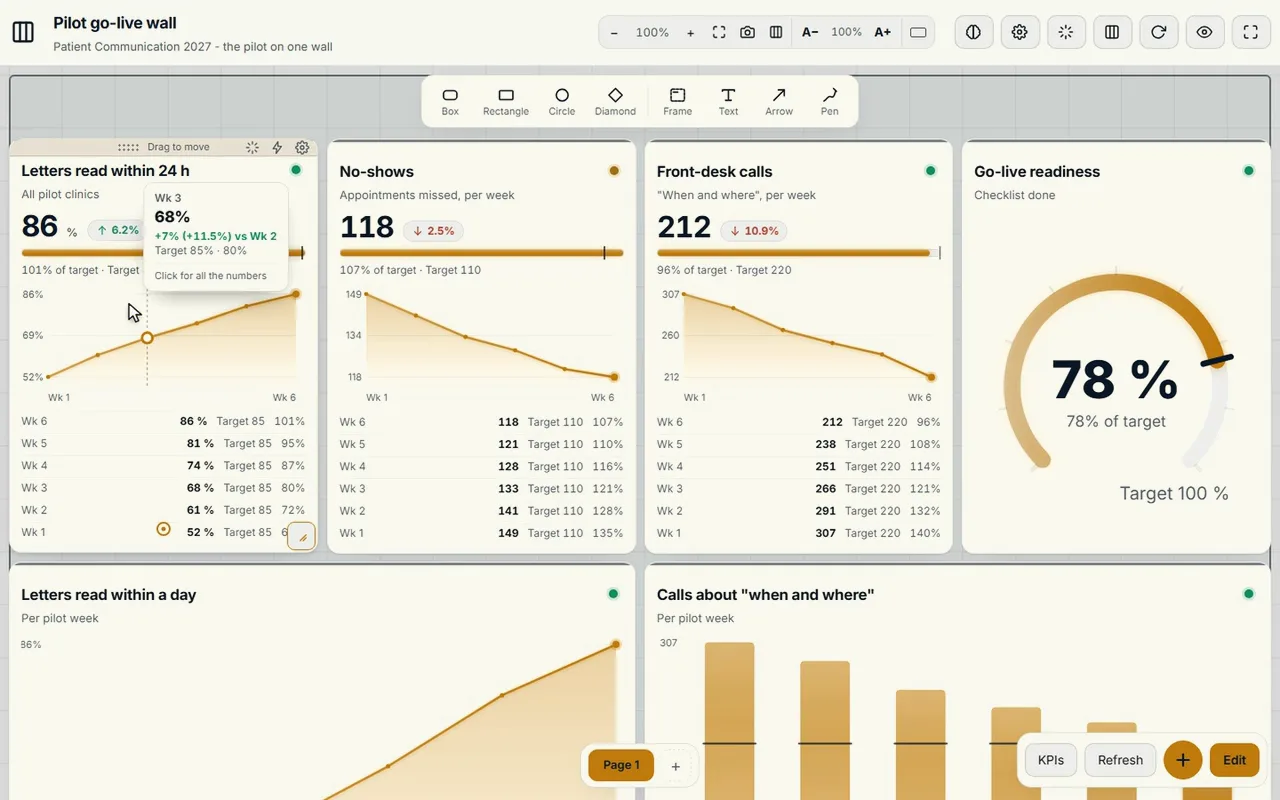
Paper works for those standing in the room. A printed chart is out of date before the marker is dry, and whoever works remotely does not see it. In CoVince the same walls hang digitally in the Control Room: tiles with numbers that come from CoVince, a CSV or a connected source, spread over one, three or nine screens. The CrewMate can propose the first board based on your description, and nothing is on the board before you press Build. See From paper to digital Obeya in 30 days.
Frequently asked questions
Is the Obeya template really free?
Yes. You fill it in on the page and print it or save it as PDF. Nothing has to be downloaded and no account is needed.
Is what I fill in stored?
No. The form remembers nothing. Print or save as PDF before you close the page.
How do I save it as PDF?
Choose Print / save as PDF and in your browser’s print window choose as printer: save as PDF.
Do I have to fill in all five walls?
No. Start with goals and KPIs, attach actions to them and add the rest when the rhythm is in place.
Can I use the template digitally?
You can build the five boxes in CoVince as walls in the Control Room, with numbers that refresh themselves. See the main page about Obeya with CoVince.