
AI in your Obeya stand-up: an assistant that knows the numbers
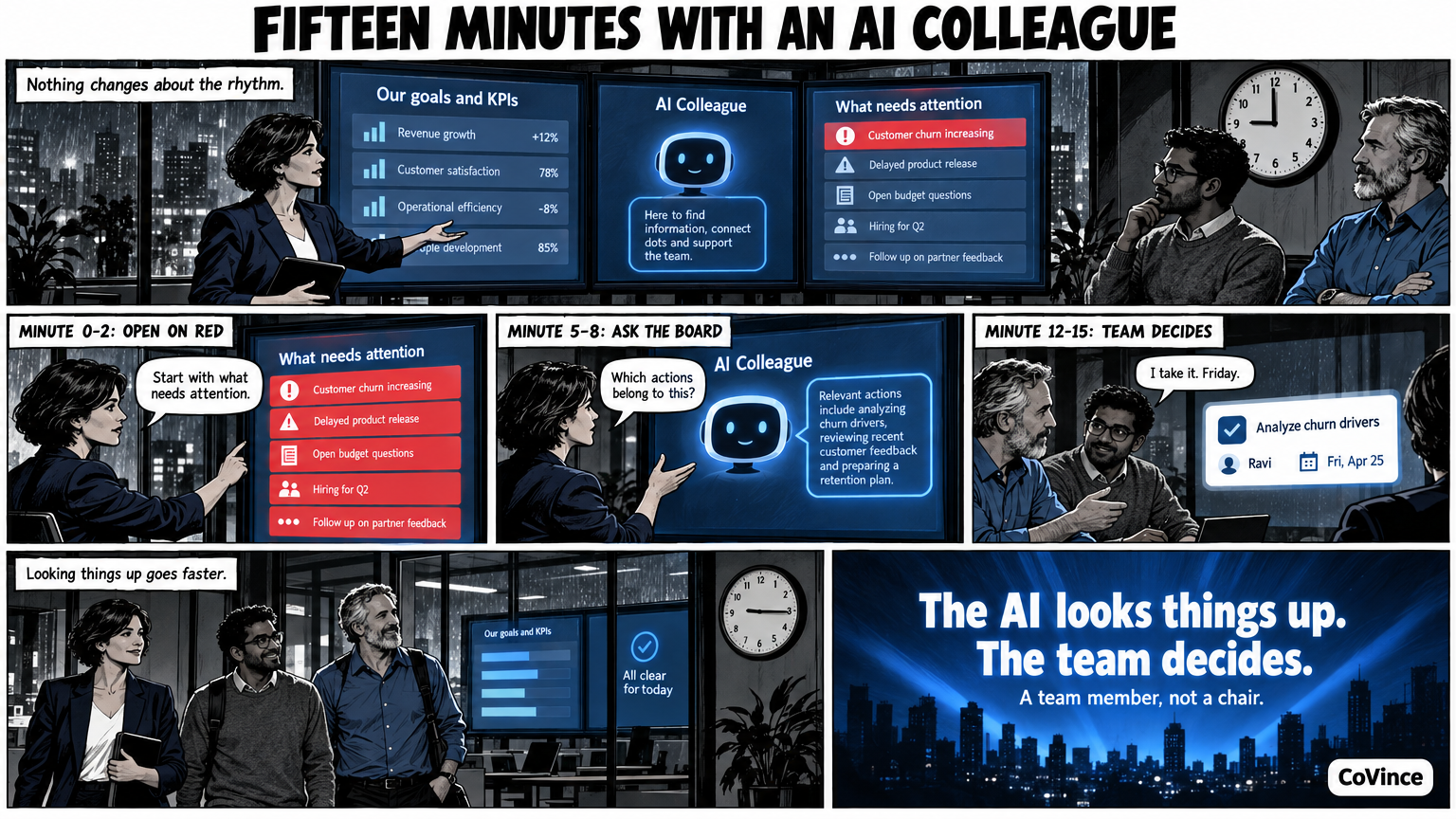
AI in your Obeya stand-up means the same short stand-up at the wall, with a CrewMate that answers questions about the numbers and prepares actions. The team decides what happens, the CrewMate looks things up and proposes. Below you see what such a quarter of an hour looks like, minute by minute.
The starting point: nothing changes about the rhythm
An Obeya stand-up is short, standing and fixed: what is red, who picks it up? An AI changes nothing about that. What changes is that looking things up goes faster. Instead of looking up a number, opening an action list and asking a colleague who had it again, you ask the board one question.
What stays the same: someone leads the stand-up, the team decides, and every action gets a person as owner. The CrewMate is a team member that looks things up, summarises and proposes. It is not a chair.
A quarter of an hour, minute by minute
An example with demo names. The team at Meridiaan Health follows the rollout of a new way of working. Sanne leads the stand-up. The board has three screens: goals and KPIs on the left, the CrewMate in the middle, what needs attention on the right.
| Minute | What happens |
|---|---|
| 0-2 | Sanne opens with what needs attention: at the top of the board it shows how many numbers are behind, at risk or on track, and how many actions are overdue. She taps ‘behind’ and sees only those tiles. |
| 2-5 | The team looks at the first red number. Someone taps the tile: the trend per week against the target. Is it an outlier or a trend? |
| 5-8 | Sanne asks the board: ‘Which actions belong to this number, and what is overdue?’ The CrewMate answers out loud and on the screen from what is on the board. |
| 8-12 | There is no action. Sanne asks the CrewMate to make a proposal. It proposes steps with owners and dates. The team changes two and drops one. |
| 12-14 | The steps go onto the timeline as actions. Every action has an owner and a date. |
| 14-15 | Sanne closes: who has what, and when do we see it again? |
Which questions work well
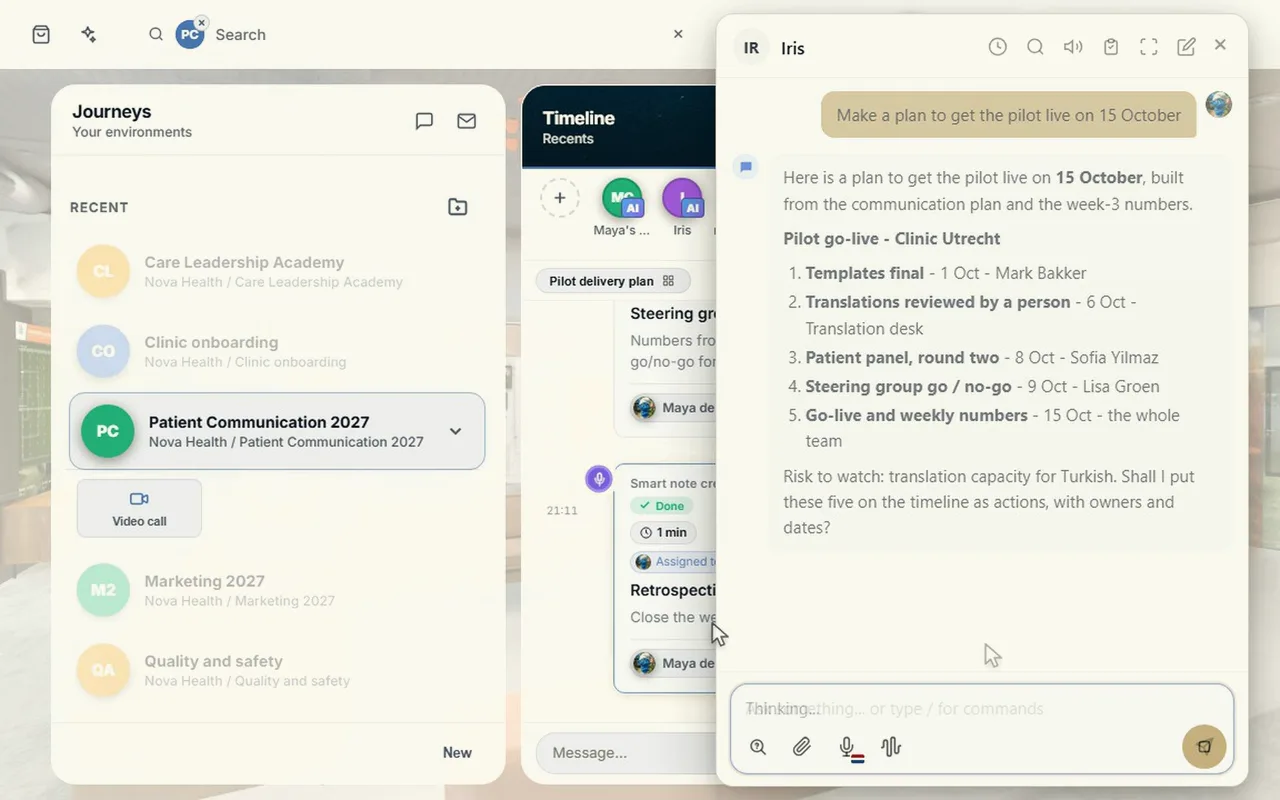
The CrewMate is most useful for concrete questions about what is on the board:
- What is red? And what has changed since yesterday?
- Which actions are overdue, and whose are they?
- Summarise the news on the wall. If there is a news tile on the wall.
- Show a chart, for example intake per month against the target. It only uses columns that are in your data.
Less suitable are questions whose answer is not on the board. Then it can do no more than say so, and the question belongs to the team.
Out loud, without a keyboard
The stand-up is standing in front of the wall. Nobody walks to a keyboard. That is why the CrewMate works with voice. Tap the speak button, or switch the conversation on for hands-free: it hears when you are done, answers out loud and listens again. In the Syner Suite you operate the wall with a tap or with your voice.
For those who are not there too
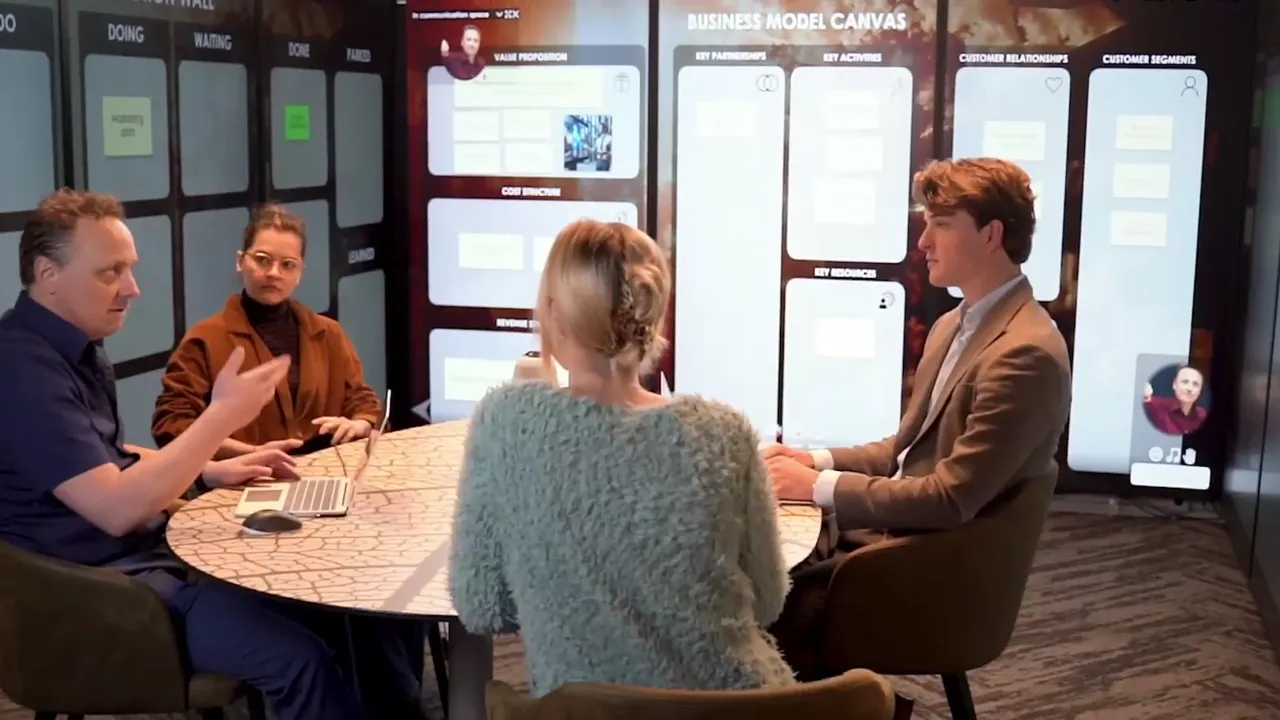
A stand-up with an AI colleague is no replacement for whoever is at home. Video calling is part of CoVince itself, next to the board, and you show the board in the conversation: everyone sees at once what changes. The remote colleague is on the right of the wall in the Syner Suite. That way the CrewMate is not only with the people in the room, but with the whole team.
Four agreements that keep it honest
- The team decides. The CrewMate proposes, a person says yes or no.
- Every action has a person as owner, with a date. No action by ‘the team’ or ‘the AI’.
- The board is the source. If a number is not on it, the answer is not based on it either.
- Stay short. Fifteen minutes. What takes longer belongs in a separate conversation.
How to try it this week
Hold your own stand-up, and let the CrewMate do three things: tell what is red, tell which actions are overdue, and make a proposal for one red KPI without an action. Adjust the proposal, put it on the timeline and see the next day whether it has been picked up. You can read more about the rhythm itself in Obeya stand-up: agenda and rhythm, and a printable checklist is in Stand-up agenda and checklist.
Where it chafes in practice
The team waits until the CrewMate answers. An answer takes a few seconds, and in that time the conversation falls silent. Ask the question, keep talking about the next point meanwhile and come back to the answer.
The question is too vague. ‘How is it going?’ produces a general answer. ‘Which actions are overdue, and whose?’ produces something you can pick up.
The action gets no owner. A proposal from the CrewMate is only an action when someone says: I will do that, by that date. Otherwise there is a nice plan on the timeline that nobody carries out.
Frequently asked questions
What does an AI colleague do in a stand-up?
It answers questions about what is on the board, summarises and proposes actions with owners and dates. The team decides what happens.
Does the CrewMate replace the chair?
No. Someone from the team leads the stand-up. The CrewMate looks things up and proposes.
How long does such a stand-up take?
Fifteen minutes, just as without AI. Looking things up goes faster, the rhythm stays the same.
Can I talk to it out loud?
Yes. Tap the speak button, or switch the conversation on for hands-free: it hears when you are done, answers out loud and listens again.
What if a remote colleague takes part?
Video calling is part of CoVince itself next to the board. You show the board in the conversation, and everyone sees the same updates.