
AI in the Obeya: a CrewMate that knows your numbers
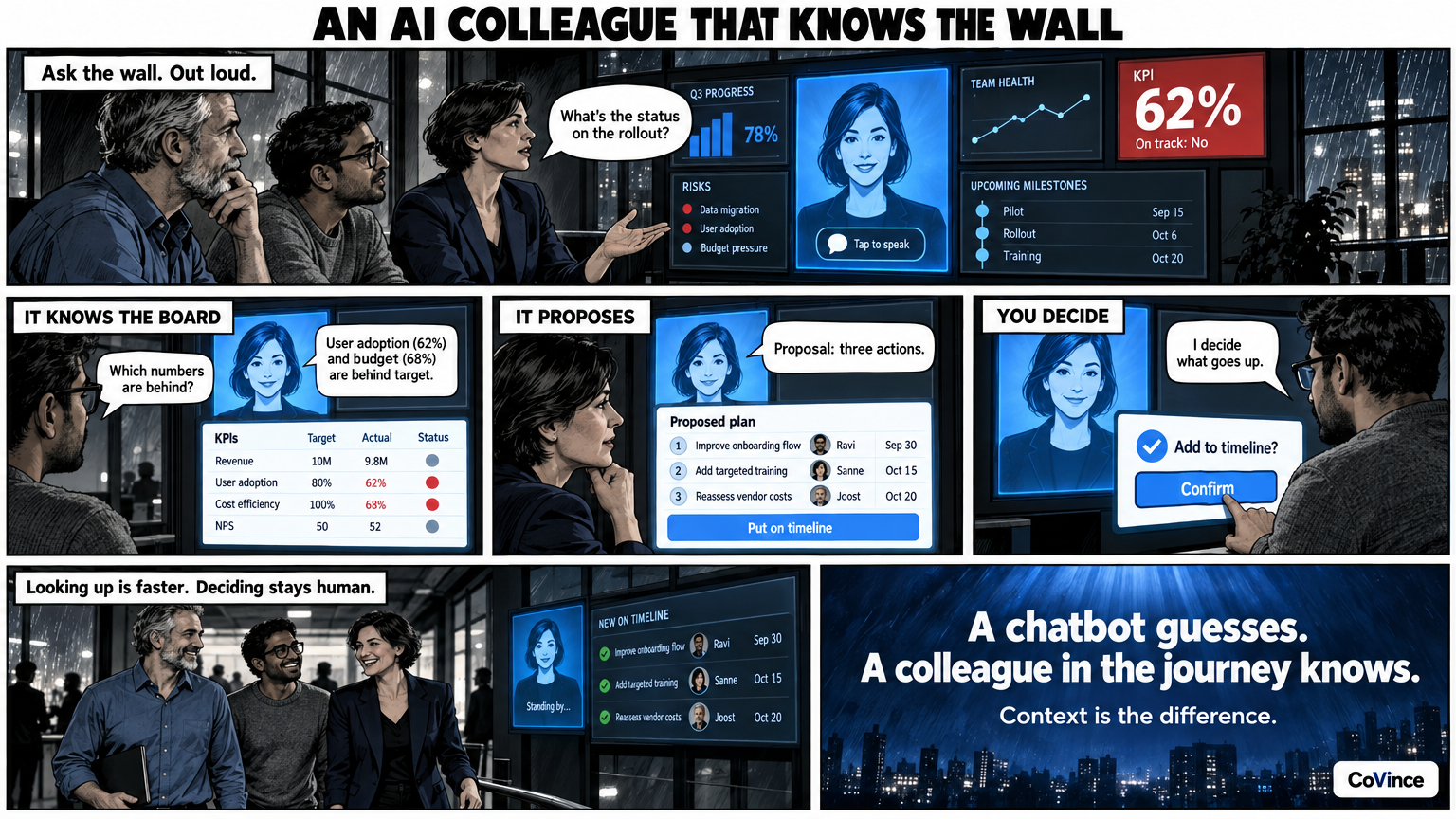
AI in the Obeya means an AI team member in the room that knows the board. You ask the wall, out loud and hands-free too, and the CrewMate answers based on what is on the board. It proposes, such as a plan with owners and dates, and you decide what goes on the wall. Note: this is not Toyota's O-Beya, a generative-AI knowledge tool of Toyota's own with a similar name. This is about an AI colleague at your own Obeya board.
What a CrewMate is
A CrewMate is an AI colleague that knows the journey and the board. In the Control Room it stands as a tile on the wall, with a face of its own and a speak button. It reads what is on the board and answers your questions about it, including about the news on the wall.
The difference from a general chatbot is the context. A chatbot knows nothing about your numbers, your actions and your planning. The CrewMate sits in the same journey as the team, so it does not have to guess what you are talking about.
Questions to the wall
The best thing about a digital Obeya is that you can ask a question about a number without having to look the figure up. A few questions teams ask in the stand-up:
- Which numbers are behind, and which actions belong to them?
- What is overdue this week?
- What is in the news on the wall?
- Who has the action for this risk?
The CrewMate answers from what is on the board. That is an advantage in the stand-up, because you do not have to switch between screens or ask people who know. The board stays the source: the CrewMate summarises what is there and makes no numbers of its own.
Out loud and hands-free
Everyone stands in front of the wall. Nobody wants to type. That is why the CrewMate also works with voice: tap the speak button and ask your question to the board. Switch the conversation on, and it works hands-free: the CrewMate hears when you are done, answers out loud and listens again. That way you can ask a question during the stand-up without walking to a keyboard.
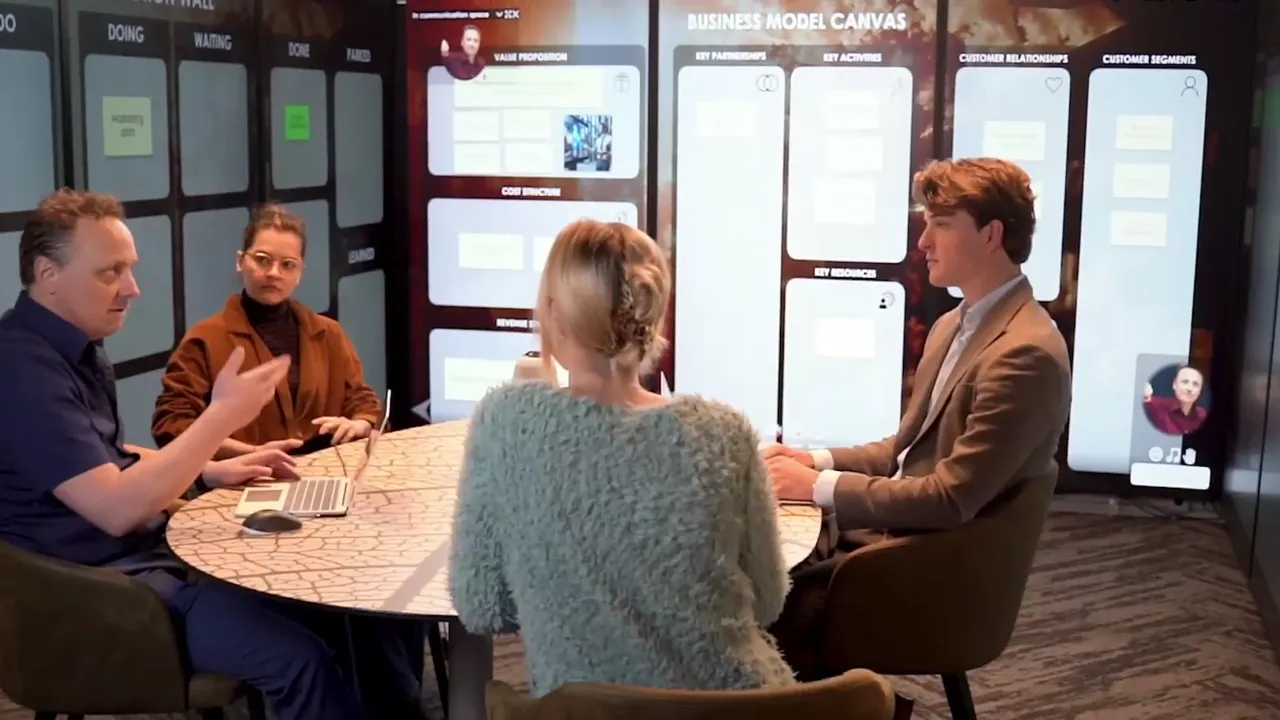
In the Syner Suite, CoVince’s immersive room with nine standing 86-inch screens, you operate the wall with a tap or with your voice. The CrewMate is part of that.
Having charts and plans made
The CrewMate does not only look along, it also helps build:
- Charts from a sentence. ‘Intake per month against the target’ becomes a chart, with only columns that really are in your data. So it does not invent a column that does not exist.
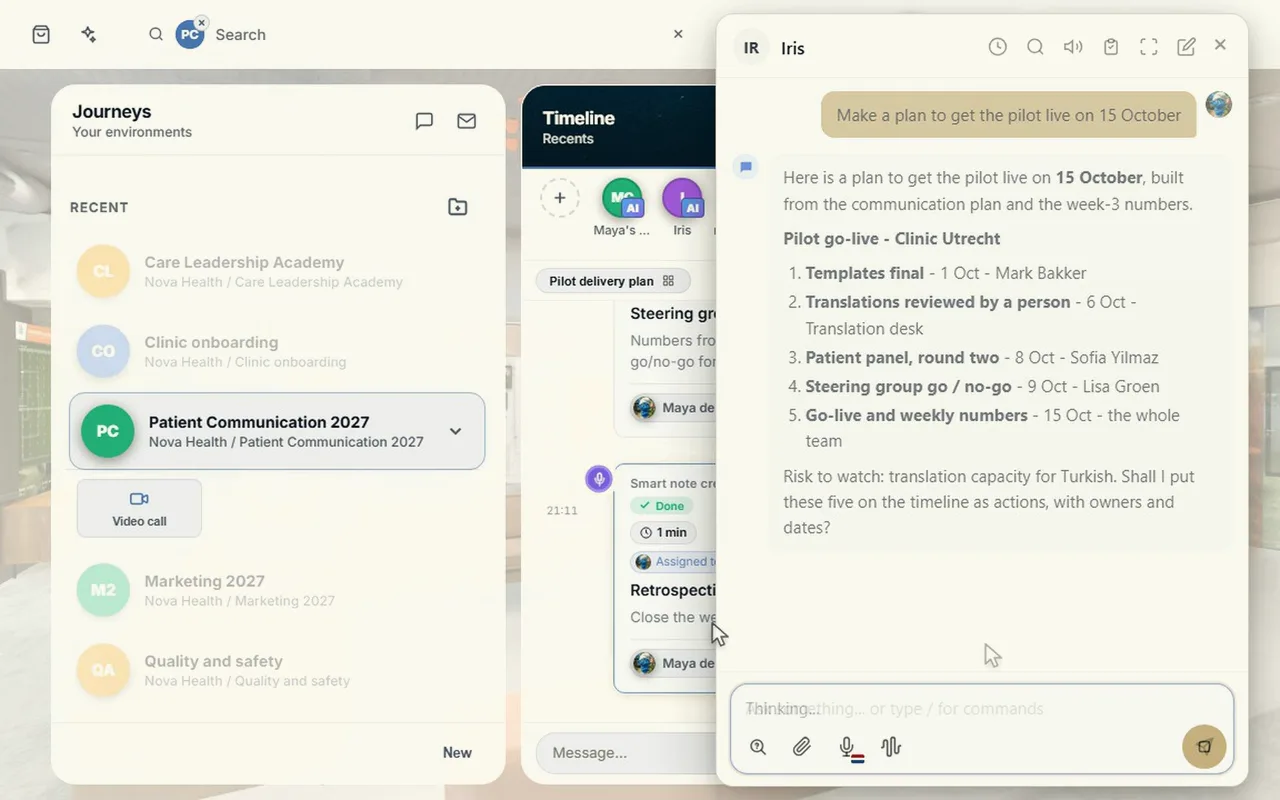
- Actions with owner and date. It makes a plan, puts tasks on the task tile and actions on the timeline.
- Filling in manual numbers, as soon as you press Apply.
The main page also says you can turn a short description into a proposal with pages, measurements with their source, phases and roles: via ‘Make with AI’. Nothing is on the board before you press Build.
What the AI does not decide
This is the part that weighs the most in an Obeya. An Obeya is about ownership: someone has the action, someone has taken the decision. An AI must not take that over.
- It proposes, you decide. What goes on the wall is determined by the team.
- An action has a person as owner. The CrewMate can propose a plan with names and dates, but the team adopts it or changes it.
- Check what matters. An answer based on a number is only as good as the number. If the source lags behind, the answer does too.
How to try it
- Put the CrewMate tile on a wall next to your KPIs.
- In the first stand-up, ask the wall one question per person, for example: what is behind?
- Have it propose a first plan for a red KPI, and adjust it.
- Switch the conversation to hands-free once the team is used to it.
What such a stand-up looks like you can read in Stand-up with an AI colleague. How to quickly see deviations in numbers you can read in Spotting KPI deviations.
Three things that often go wrong with AI in the Obeya
The AI takes charge. If nobody thinks about what the CrewMate proposes any more, the Obeya becomes a machine that generates actions. Keep a person as owner of every action and every decision.
The board is not up to date. The CrewMate reads what is on the board. If something outdated is there, the answer is outdated too. First get the numbers in order, then ask.
The voice becomes a gimmick. Talking out loud to a wall works if it makes the stand-up faster. Use it for short questions such as what is behind, and not to let the whole conversation run through it.
Frequently asked questions
What is a CrewMate?
An AI colleague that knows the journey and the board. In the Control Room it stands as a tile on the wall, and you can ask it questions about what is on the board, out loud too.
Can I just talk to it?
Yes. Tap the speak button and ask your question to the board. With the conversation on, it works hands-free: it hears when you are done, answers out loud and listens again.
Does the CrewMate make up numbers?
A chart from a sentence only uses columns that really are in your data. The board stays the source: it summarises what is there.
Who decides what goes on the wall?
The team. The CrewMate proposes, such as a plan with owners and dates, and you decide what you take over.
Does it work in the immersive room too?
Yes. In the Syner Suite you operate the wall with a tap or with your voice, and the CrewMate is part of that.
Is this the same as Toyota's O-Beya AI?
No. O-Beya is the name of a generative-AI knowledge tool of Toyota's own. This is about a CoVince CrewMate: an AI colleague that knows your team's board and journey, at your own Obeya.