
Obeya in local government and the public sector: programme steering across departments
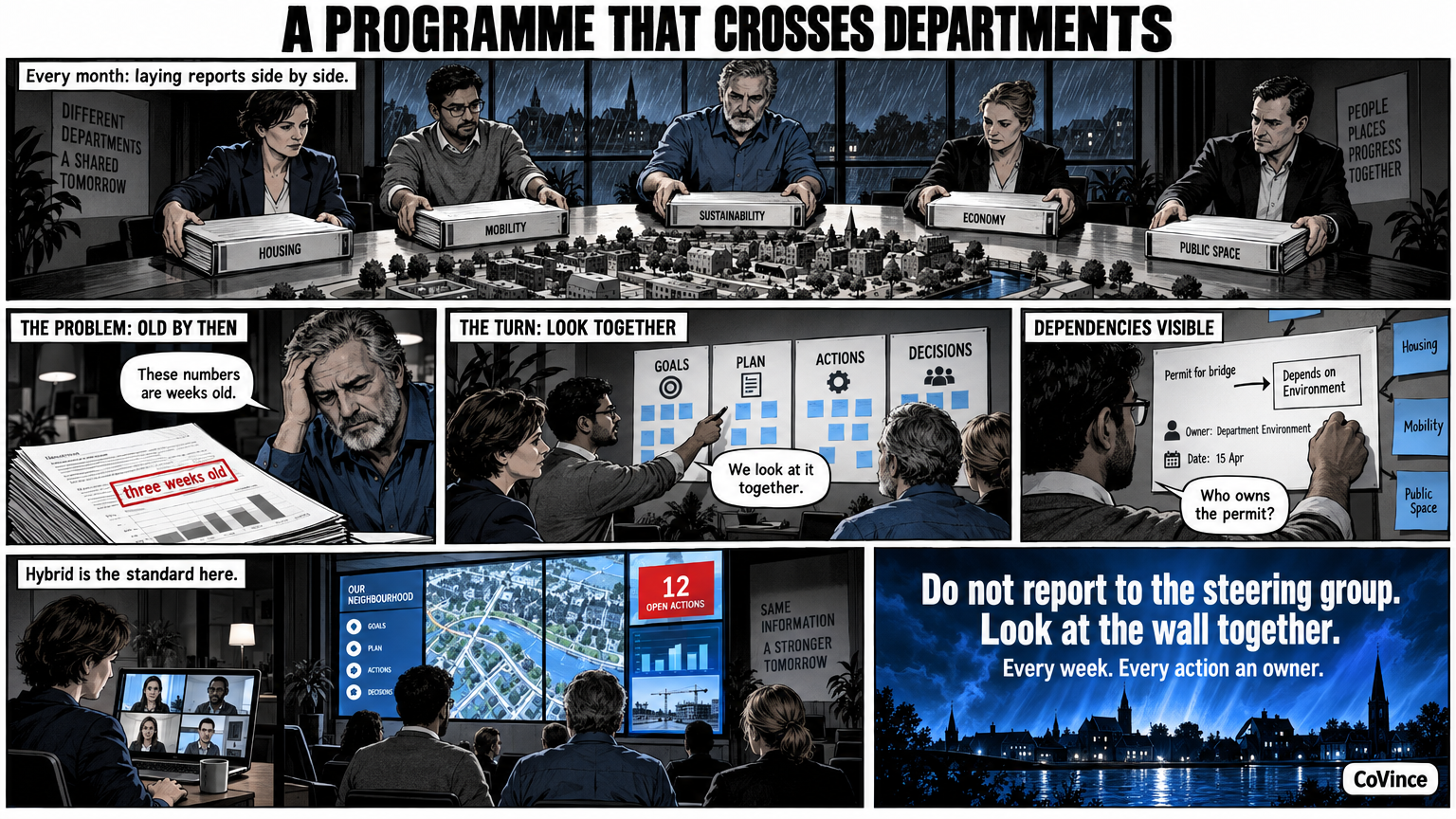
An Obeya at a municipality or other public organisation is a shared wall for a programme that runs through several departments. Goals, numbers, planning and risks are in one place, and actions have an owner and a date. Because civil servants work spread out and partly from home, a digital, hybrid Obeya is here rather the standard than the exception.
The problem: a programme without a shared picture
Think of a programme such as the energy transition in a neighbourhood, the introduction of a new law or the renewal of customer contact. It touches spatial planning, the social domain, IT, communication and finance. Each department has its own planning and its own reporting, and the programme manager lays the documents side by side every month. By the time the steering group sees the numbers, they are a few weeks old.
An Obeya turns that around. Instead of reporting to the steering group, the team looks together at the same wall every week. What is behind is discussed straight away, and the action gets an owner.
Which walls suit a programme
The CoVince Obeya has four walls. This is how you can fill them for a public-sector programme, as an example:
| Wall | Question | Example for a programme |
|---|---|---|
| Goals and KPIs | Are we on track? | Number of applications handled, lead time, number of neighbourhoods in the first phase |
| Plan and milestones | What has to happen this week? | Phases, council decisions, tenders, delivery moments |
| Problems and actions | What is not going well and who picks it up? | A dependency on another department, a delayed permit |
| Decisions and risks | What has been decided and what can hit us? | The decision of the executive board, a risk of delay due to staffing |
Those are examples of topics. The numbers themselves you take from your own sources: from CoVince, from a CSV, from a connected source, or you type them in.
Hybrid by default
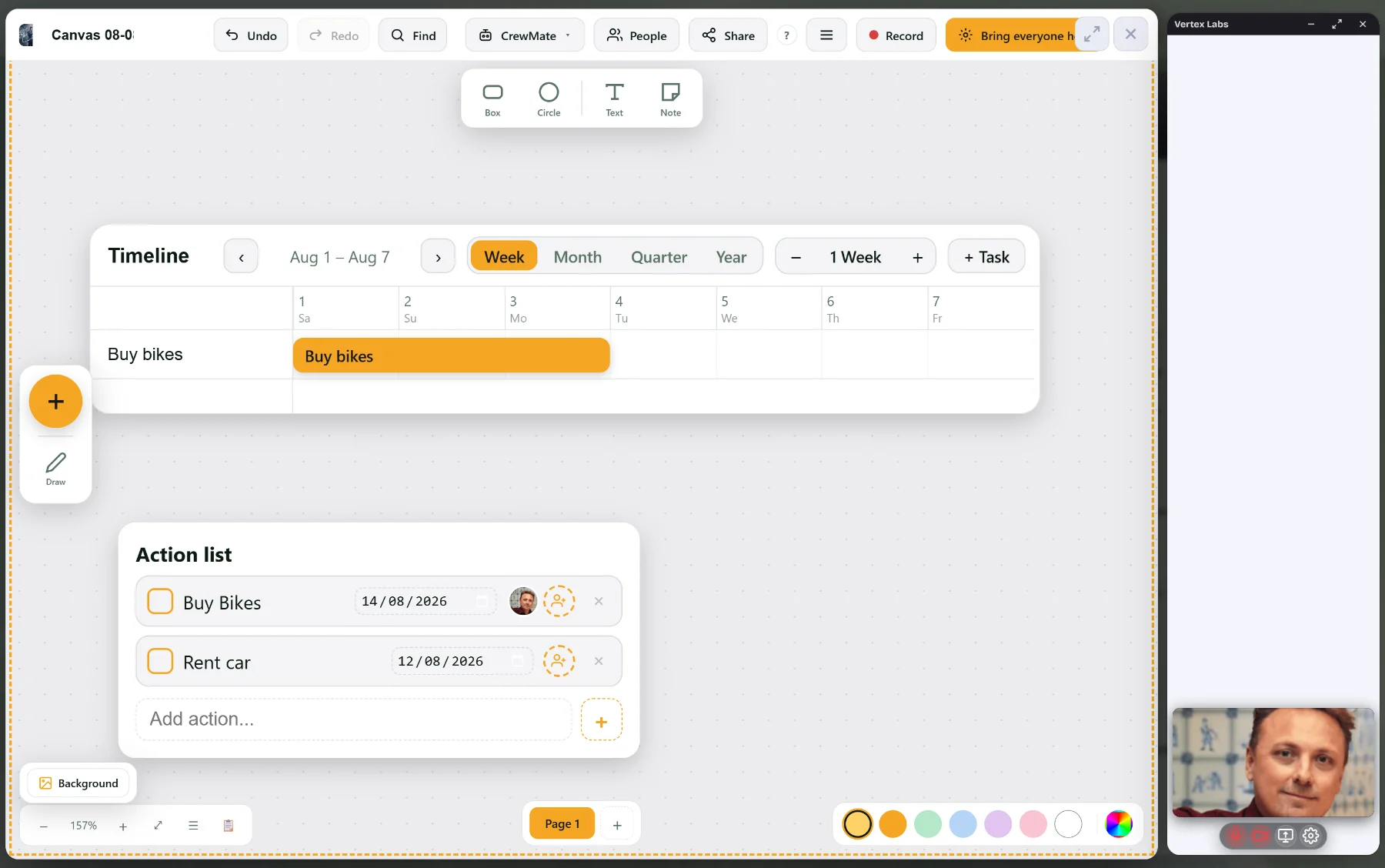
At a public organisation programme members sit in different offices, at partners or at home. A paper wall in one room excludes those people. A digital Obeya lets them look along and talk along on the same wall. Video calling is part of CoVince itself, next to the board, and you can show the Control Room or the canvas in the conversation: everyone sees at once what changes.
For conversations with partners outside the organisation, for example a housing association or a safety region, a guest can join via a link without an account. The conversation has a waiting room, and you can record it, with transcript and summary if you want.
The rhythm: short and fixed
- Daily or twice-weekly a stand-up of fifteen minutes with the core team. What is red, who picks it up?
- Weekly the whole wall: plan, risks and decisions, with the departments that belong to it.
- Per period: recalibrate goals and KPIs, and let the steering group look along instead of having it report.
The last point makes the difference. The steering group looks along at the same wall. No separate report has to be made, and the tiles are today’s.
Actions that do not disappear
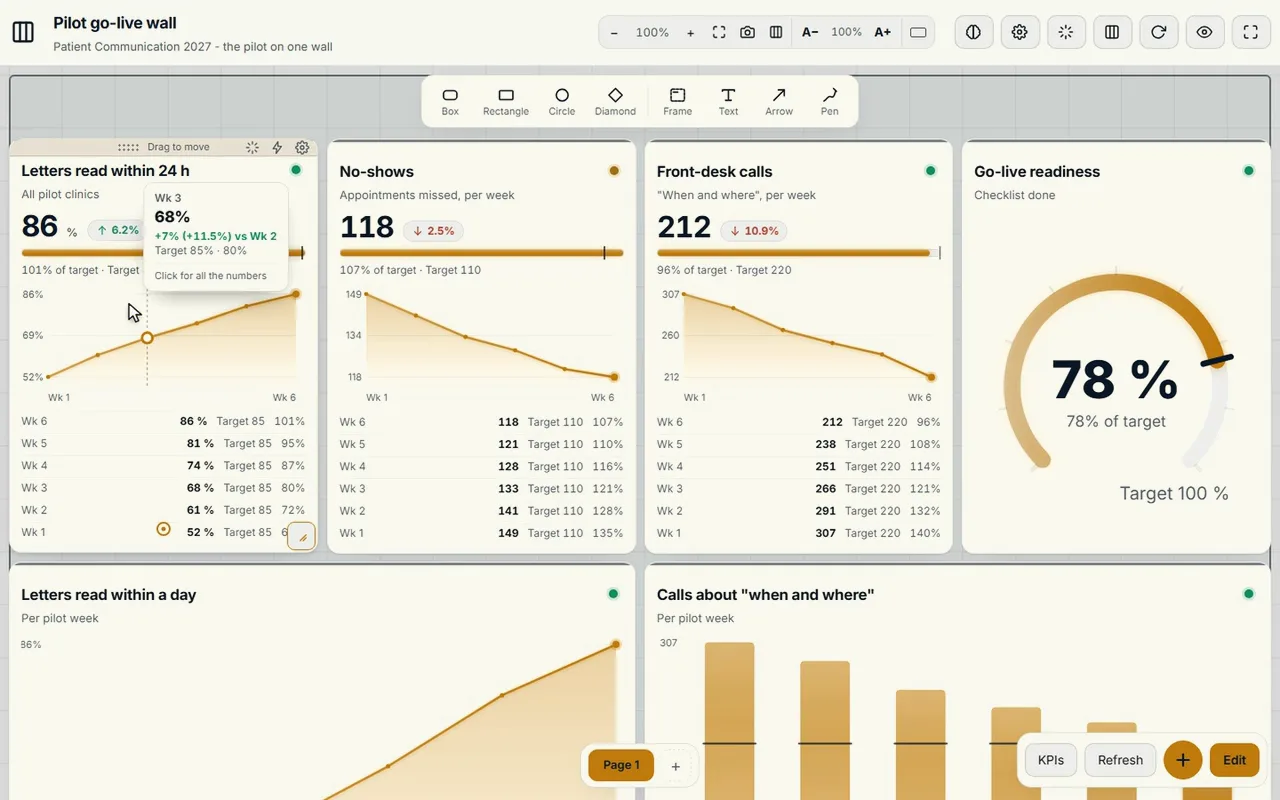
Public-sector programmes run long, and actions disappear in meeting minutes. In CoVince the action hangs on the board it is about: tap a chart and you see which action is attached to it. Every action has an owner and a date, and stays visible on the board and on the journey’s timeline until it is done. What comes up in the stand-up you work out on a canvas, in a document or in a spreadsheet, in the same journey.
What to watch for
- Agree what may go on the wall. Which data a shared wall can safely show is decided by your own organisation, for example with your information security officers and your data protection officer. Counts and lead times are usually less sensitive than case files.
- Start with one programme. An Obeya for the whole organisation is too big to start with.
- Ownership over reporting. A wall without owners is a dashboard nobody opens.
More about what can go wrong you can read in Why nobody looks at the Obeya wall after three months.
A first step
Choose the programme that touches the most departments, put five to eight KPIs on it and attach an action to every red one. Hold a fifteen-minute stand-up for two weeks. When that habit is in place, add plan, decisions and risks. You do not need a special room for it: a laptop or one big screen is enough, and whoever wants more can go to three or nine screens later.
Three things that often go wrong in public-sector programmes
The wall shows the planning, not the problems. A wall with only green milestones is a progress report on a screen. Also put on it what is blocking, and who picks it up.
Every department gets a wall of its own. Then five separate versions of the truth arise again, now side by side. Stick to the programme’s four walls and let departments contribute their numbers to the same wall.
Decisions are made twice. A decision that is not visibly recorded is discussed again a few weeks later. That is why the CoVince Obeya has a wall of its own for decisions and risks.
Frequently asked questions
Does an Obeya suit a municipality?
Yes, especially for programmes that run through several departments. The wall puts goals, numbers, planning and risks in one place, and actions get an owner and a date.
Does an Obeya need to be digital, or can it be on paper?
Paper only works for the people in the room. Because many programme members work spread out or partly from home, a digital, hybrid Obeya is usually the practical choice.
Can partners outside the organisation look along?
Guests can join a video conversation via a link without an account, with a waiting room. What you share with them is up to you.
Which data may go on the wall?
Your own organisation decides that, for example together with information security and data protection. Counts and lead times are usually less sensitive than case files.
How often does the team meet at the wall?
A short stand-up of fifteen minutes, daily or a few times a week, and weekly the whole wall. Per period you recalibrate the goals and KPIs.